 Firefox
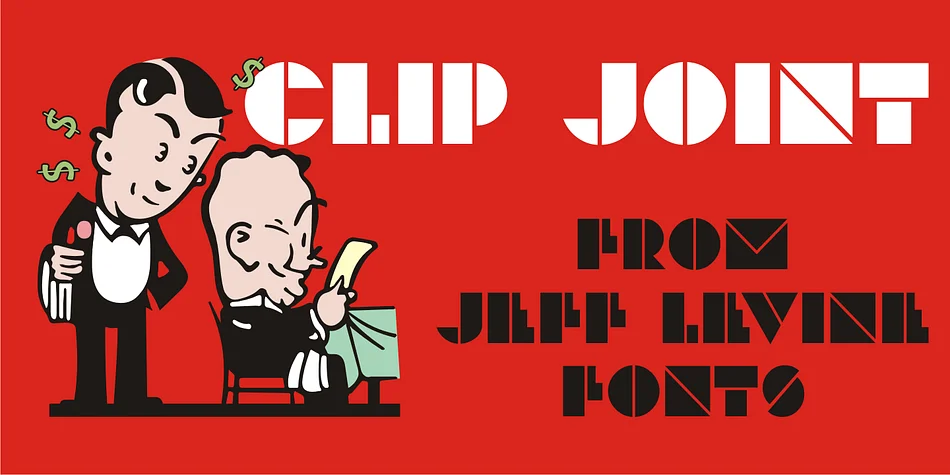
About CLIP JOINT JNL Font
CLIP JOINT JNL by Jeff Levine Fonts is a bold Art Deco display typeface rooted in the streamlined lettering conventions of the 1930s and 1940s. The design draws direct inspiration from WPA poster work, capturing that era's confidence and geometric precision without slipping into pastiche. With its thick strokes and sharp angles, the typeface commands unmistakable presence, making it instantly recognizable across any application you choose for it. The letterforms feel substantial and purposeful, never delicate or apologetic in their weight.
This typeface thrives in vintage-inspired contexts where visual impact and clarity matter most. The bold weight makes it genuinely ideal for speakeasy and jazz-age branding, retro restaurant menus and storefront signage, Gatsby-style wedding invitation suites with authentic period elegance, or vintage cosmetics and boutique product labels that trade on nostalgic charm. It works beautifully for vintage travel posters, art deco event graphics, period-feeling book covers, and any project needing lettering that lands with real authority. The sturdy construction handles display sizes without feeling overwrought or precious, staying readable whether it's large or small.
When you want authentic 1930s character with modern reliability, CLIP JOINT JNL delivers. Get it from Creative Fabrica and bring vintage flair to your next project.
Style & Use Cases
- Overall Style
- Bold, Distinctive
- Use Case
- Headlines, Posters
- Ideal For
- logos, packaging, and standout titles
- Pairs With
- a neutral sans-serif
How to Install CLIP JOINT JNL Font
Step-by-step instructions for every platform
- 1Download the CLIP JOINT JNL font file (.ttf or .otf).
- 2Locate the downloaded file in your Downloads folder.
- 3Right-click the font file.
- 4Select "Install" to install for the current user, or "Install for all users" to make it available system-wide.
- 5CLIP JOINT JNL is now available in Word, Photoshop, Illustrator, and all other apps.
More by Jeff Levine Fonts
View all →



Browse fonts by theme
Curated collections →Saw a font in a picture? Identify any font from an image with our free Font Finder.
More Decorative Fonts
Browse all →







What pairs well with CLIP JOINT JNL Font?
CLIP JOINT JNL Font is a decorative font that shines as a display or heading face. Pair it with a clean sans-serif or serif font for body text — the contrast creates a clear hierarchy while the two styles stay balanced and easy to read.




CLIP JOINT JNL Font
Reviewed by the FontBoxDL team · Updated June 2026