 Firefox
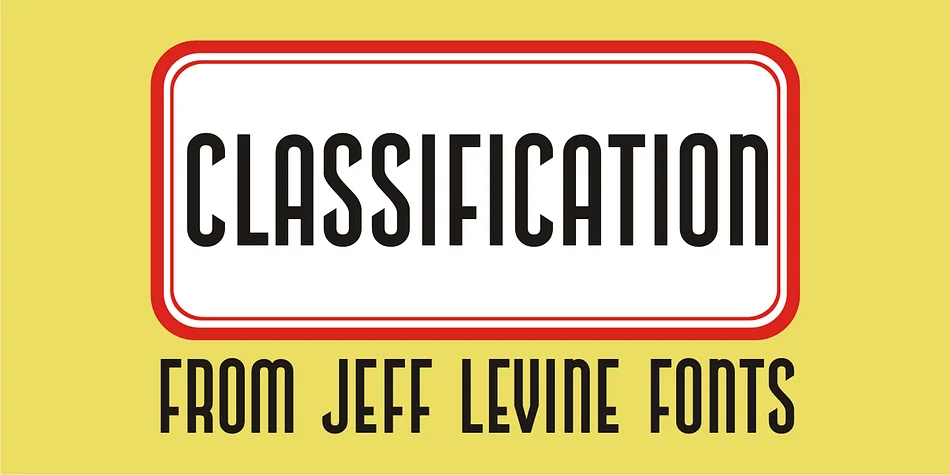
About CLASSIFICATION JNL Font
This condensed sans evokes the glamour and optimism of 1940s transatlantic travel. Classification JNL comes from Jeff Levine Fonts, faithfully reproduced from hand-lettered letterforms found on a vintage piece of sheet music titled "My Hawaiian Souvenirs." The name itself references the steamship passenger classification system of that era, when travelers were sorted into distinct categories (First Class, Tourist, and beyond), lending the typeface an intriguing historical narrative with real specificity.
What makes Classification JNL work is its ability to feel authentically mid-century without sliding into pastiche or heavy-handed nostalgia. You'll find it particularly useful for retro travel posters, vintage Hawaiian-themed branding, 1940s-style event signage, and small-batch product packaging with real period flavor. Its condensed width makes it perfect for headlines where you need visual impact in tight spaces. The hand-drawn quality delivers authentic personality that feels human and imperfect, a refreshing contrast to the uniformity of geometric condensed fonts. Pair it with a clean serif or neutral sans-serif for readable body text to keep designs balanced and grounded. Find Classification JNL on Creative Fabrica and add vintage character to your next design work.
Style & Use Cases
- Overall Style
- Bold, Distinctive
- Use Case
- Headlines, Posters
- Ideal For
- logos, packaging, and standout titles
- Pairs With
- a neutral sans-serif
How to Install CLASSIFICATION JNL Font
Step-by-step instructions for every platform
- 1Download the CLASSIFICATION JNL font file (.ttf or .otf).
- 2Locate the downloaded file in your Downloads folder.
- 3Right-click the font file.
- 4Select "Install" to install for the current user, or "Install for all users" to make it available system-wide.
- 5CLASSIFICATION JNL is now available in Word, Photoshop, Illustrator, and all other apps.
More by Jeff Levine Fonts
View all →



Browse fonts by theme
Curated collections →Saw a font in a picture? Identify any font from an image with our free Font Finder.
More Decorative Fonts
Browse all →







What pairs well with CLASSIFICATION JNL Font?
CLASSIFICATION JNL Font is a decorative font that shines as a display or heading face. Pair it with a clean sans-serif or serif font for body text — the contrast creates a clear hierarchy while the two styles stay balanced and easy to read.




CLASSIFICATION JNL Font
Reviewed by the FontBoxDL team · Updated June 2026