 Firefox
 1 / 8
1 / 8Loading font…
About Classic Frames Font
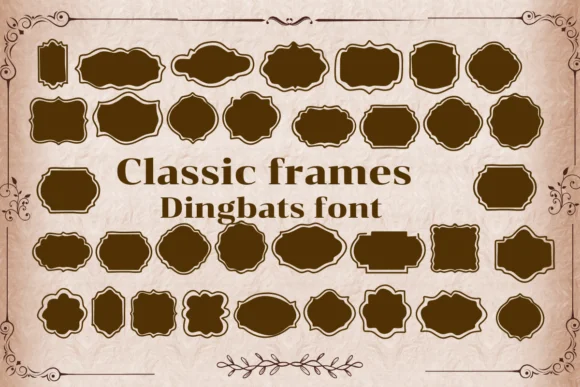
Classic Frames by Nongyao replaces traditional letterforms with a comprehensive collection of elegant borders and decorative frame elements. Each keystroke delivers a unique design piece instead of a character, giving you practical building blocks alongside genuine vintage charm. These elements work independently for single accents or combine for complex layered compositions and multi-frame layouts.
Use it for wedding invitation suites with hand-drawn styling, scrapbook layouts with bordered pages, custom product labels for boutique makers, or DIY craft signage with personality. Frame elements solve design problems in digital graphics and printable stationery projects with equal effectiveness, working as standalone accents or building blocks for more complex designs. Both OTF and TTF formats are included, ensuring full compatibility across Procreate, Affinity Designer, Affinity Photo, and other professional design tools.
This is the kind of font that rewards patient exploration. Work methodically through the character map and you'll find unexpected combinations that solve specific layout challenges. Best suited for makers doing their own finishing work, anyone creating charming stationery or packaging by hand, or designers who need bordered designs without relying on stock graphics. The versatility here supports both simple and elaborate projects. Find Classic Frames on Creative Fabrica.
Style & Use Cases
- Overall Style
- Iconographic, Fonts
- Use Case
- Icons, Accents
- Ideal For
- ornaments, bullets, and decorative flourishes
- Pairs With
- any text font
How to Install Classic Frames Font
Step-by-step instructions for every platform
- 1Download the Classic Frames font file (.ttf or .otf).
- 2Locate the downloaded file in your Downloads folder.
- 3Right-click the font file.
- 4Select "Install" to install for the current user, or "Install for all users" to make it available system-wide.
- 5Classic Frames is now available in Word, Photoshop, Illustrator, and all other apps.




Browse fonts by theme
Curated collections →Saw a font in a picture? Identify any font from an image with our free Font Finder.
More Dingbats Fonts
Browse all →







What pairs well with Classic Frames Font?
Classic Frames Font is a versatile dingbats font that works for both headings and body text. Pair it with a contrasting sans-serif or serif font to add visual interest and a clear distinction between titles and body copy.




Classic Frames Font
by Nongyao
Reviewed by the FontBoxDL team · Updated October 2026