 Firefox
 1 / 8
1 / 8About Christmas Tree 1 Font
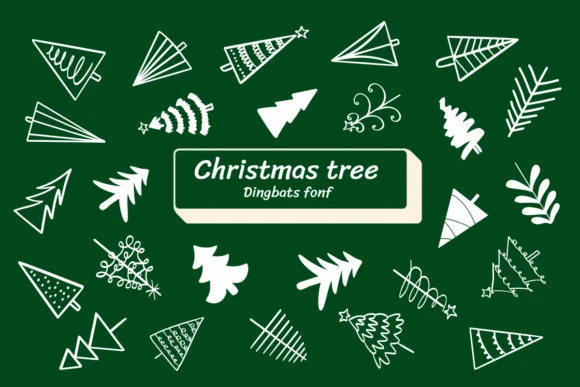
Christmas Tree 1 by Ketsarin is a decorative dingbat collection built around inventive takes on the winter holiday staple. The font offers a range of tree renderings: from spare, minimalist line drawings to more ornate and illustrated versions, each mapped to its own character. Consistent line weight throughout the set means the shapes hold up visually at any scale, from large signage and displays down to compact layout accents and small typography elements.
Designers use this collection for holiday greeting cards, Christmas market posters and window displays, seasonal gift tags and product labels, and festive packaging suites. Each tree glyph comes in outline form, so you can fill and color them to match your specific project's aesthetic and brand palette. Both OTF and TTF versions are included, and the font works with design tools like Affinity Designer, Affinity Photo, and Procreate for quick iteration and mockups.
Having multiple tree styles in one font saves time when you want visual variety without switching between different typefaces. The hand-drawn and geometric renderings work together beautifully to add depth and personality to holiday layouts, cards, and promotional materials. Grab Christmas Tree 1 from Creative Fabrica and start using these festive shapes in your next project.
Style & Use Cases
- Overall Style
- Iconographic, Fonts
- Use Case
- Icons, Accents
- Ideal For
- ornaments, bullets, and decorative flourishes
- Pairs With
- any text font
How to Install Christmas Tree 1 Font
Step-by-step instructions for every platform
- 1Download the Christmas Tree 1 font file (.ttf or .otf).
- 2Locate the downloaded file in your Downloads folder.
- 3Right-click the font file.
- 4Select "Install" to install for the current user, or "Install for all users" to make it available system-wide.
- 5Christmas Tree 1 is now available in Word, Photoshop, Illustrator, and all other apps.
More by Ketsarin
View all →
Browse fonts by theme
Curated collections →Saw a font in a picture? Identify any font from an image with our free Font Finder.
More Dingbats Fonts
Browse all →







What pairs well with Christmas Tree 1 Font?
Christmas Tree 1 Font is a versatile dingbats font that works for both headings and body text. Pair it with a contrasting sans-serif or serif font to add visual interest and a clear distinction between titles and body copy.




Christmas Tree 1 Font
by Ketsarin
Reviewed by the FontBoxDL team · Updated June 2026