 Firefox
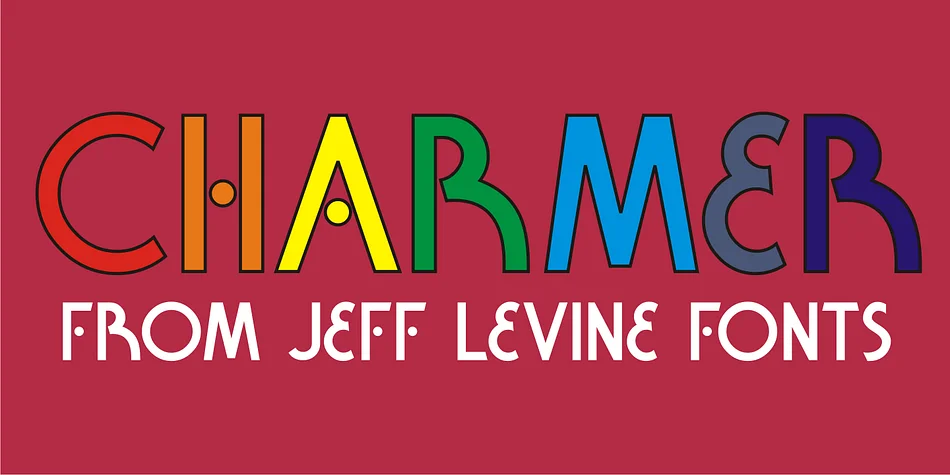
About CHARMER JNL Font
CHARMER JNL by Jeff Levine Fonts is an Art Deco display typeface inspired by authentic hand-lettered title treatments found on vintage sheet music covers. Rather than copying those historical sources directly, this design captures the essential geometry and refined elegance that defined the visual language of 1920s graphic design, translating it for contemporary creative work. The hand-lettered foundation delivers genuine period character, while careful refinement maintains reliable legibility and functionality across all sizes and both print and digital applications.
This typeface performs best on projects that need that specific interwar aesthetic and decorative energy. Speakeasy-style event invitations, vintage cocktail bar menus, luxury cosmetics packaging, and retro jazz club posters all benefit substantially from the confident decorative presence this font provides. The geometric letterforms remain readable even at large display sizes, so you can construct full headlines with this typeface or apply it more selectively to introduce period details into more minimal design approaches.
If you're building vintage-inspired branding identities, designing theatrical programs, or working on any project that channels Art Deco glamour, Charmer JNL belongs in your collection. Get the font from Creative Fabrica and bring home an authentic slice of design history.
Style & Use Cases
- Overall Style
- Bold, Distinctive
- Use Case
- Headlines, Posters
- Ideal For
- logos, packaging, and standout titles
- Pairs With
- a neutral sans-serif
How to Install CHARMER JNL Font
Step-by-step instructions for every platform
- 1Download the CHARMER JNL font file (.ttf or .otf).
- 2Locate the downloaded file in your Downloads folder.
- 3Right-click the font file.
- 4Select "Install" to install for the current user, or "Install for all users" to make it available system-wide.
- 5CHARMER JNL is now available in Word, Photoshop, Illustrator, and all other apps.
More by Jeff Levine Fonts
View all →



Browse fonts by theme
Curated collections →Saw a font in a picture? Identify any font from an image with our free Font Finder.
More Decorative Fonts
Browse all →







What pairs well with CHARMER JNL Font?
CHARMER JNL Font is a decorative font that shines as a display or heading face. Pair it with a clean sans-serif or serif font for body text — the contrast creates a clear hierarchy while the two styles stay balanced and easy to read.




CHARMER JNL Font
Reviewed by the FontBoxDL team · Updated June 2026