 Firefox
About CARTOON PANEL JNL Font
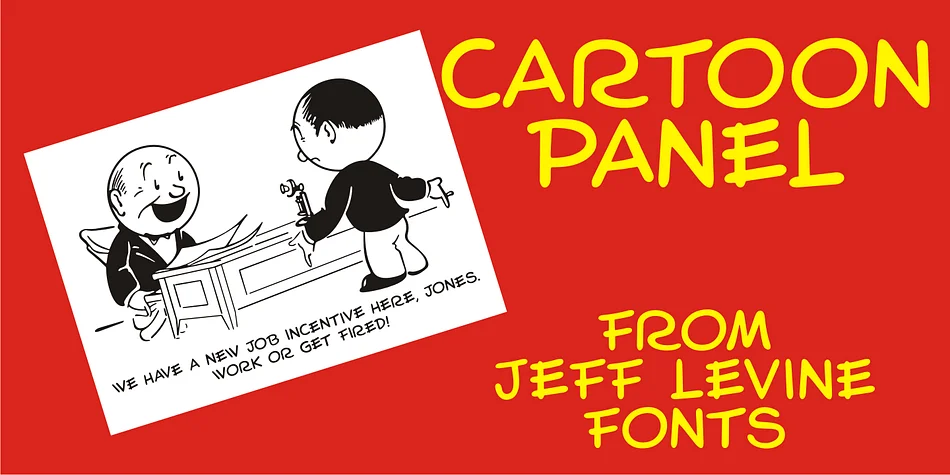
Cartoon Panel JNL, designed by Jeff Levine Fonts, draws its distinctive character from hand-lettered instruction pages of a mid-century cartooning template set. The letterforms carry the playful, slightly uneven geometry you'd find in manual instruction typography, giving them authentic retro charm without feeling overwrought or nostalgic. Each character has that lived-in quality you see on old printed materials designed for kids learning to draw their own cartoons. There's genuine warmth here that comes through in the slightly imperfect spacing and hand-drawn feel.
This typeface excels when you're lettering comic book dialogue, designing vintage toy packaging, or creating zine covers that need to feel authentically mid-century. It works just as well for retro board game boxes, hand-drawn product labels, or DIY craft project signage where that template-era aesthetic anchors the whole piece. The font covers the full alphabet and works across most English-language applications.
Projects with strong mid-century or DIY sensibilities make the best home for Cartoon Panel JNL. Use it for print merchandise, small-batch product branding, or any project that benefits from genuine period character and handmade warmth. Available on Creative Fabrica for designers looking to add a trusted decorative typeface to their collection.
Style & Use Cases
- Overall Style
- Bold, Distinctive
- Use Case
- Headlines, Posters
- Ideal For
- logos, packaging, and standout titles
- Pairs With
- a neutral sans-serif
How to Install CARTOON PANEL JNL Font
Step-by-step instructions for every platform
- 1Download the CARTOON PANEL JNL font file (.ttf or .otf).
- 2Locate the downloaded file in your Downloads folder.
- 3Right-click the font file.
- 4Select "Install" to install for the current user, or "Install for all users" to make it available system-wide.
- 5CARTOON PANEL JNL is now available in Word, Photoshop, Illustrator, and all other apps.
More by Jeff Levine Fonts
View all →



Browse fonts by theme
Curated collections →Saw a font in a picture? Identify any font from an image with our free Font Finder.
More Decorative Fonts
Browse all →







What pairs well with CARTOON PANEL JNL Font?
CARTOON PANEL JNL Font is a decorative font that shines as a display or heading face. Pair it with a clean sans-serif or serif font for body text — the contrast creates a clear hierarchy while the two styles stay balanced and easy to read.




CARTOON PANEL JNL Font
Reviewed by the FontBoxDL team · Updated July 2026