 Firefox
 1 / 8
1 / 8Loading font…
About Card Making Font
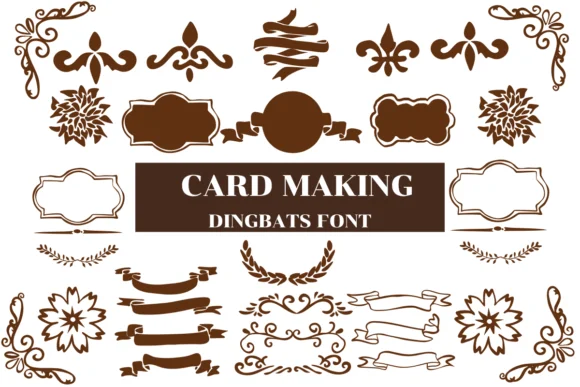
Picture yourself designing a birthday greeting card where you want tiny hand-drawn cake icons, gift illustrations, and confetti symbols placed throughout the layout. Card Making by Nongyao is the dingbat typeface built for that exact creative moment. Each keystroke produces decorative elements and playful cartoon doodles instead of letters, letting you layer them directly into your design without hunting for separate graphics files.
The strength of this font lies in how adaptable it is. Use it for Christmas card corner flourishes, wedding invitation border systems, baby announcement frame sets, and DIY gift tag embellishments. The consistent hand-drawn style ties everything together across an entire card suite. Layer the dingbats underneath your message text for ornamental breaks, or let them stand alone as frame elements between sections. The font includes both outline and coloring variants, giving you control over how heavily the icons appear: you can layer in minimal, elegant accents or go bold with saturated fills. If you're working in Procreate or Affinity Photo, the cartoon strokes render cleanly at various sizes, making it just as useful for small envelope liners as for large card faces.
Building card suites with dingbats cuts production time when you're working with repeat clients or creating seasonal batches. Get Card Making on Creative Fabrica and make your next round of custom cards feel fresh without reinventing your approach each time.
Style & Use Cases
- Overall Style
- Iconographic, Fonts
- Use Case
- Icons, Accents
- Ideal For
- ornaments, bullets, and decorative flourishes
- Pairs With
- any text font
How to Install Card Making Font
Step-by-step instructions for every platform
- 1Download the Card Making font file (.ttf or .otf).
- 2Locate the downloaded file in your Downloads folder.
- 3Right-click the font file.
- 4Select "Install" to install for the current user, or "Install for all users" to make it available system-wide.
- 5Card Making is now available in Word, Photoshop, Illustrator, and all other apps.




Browse fonts by theme
Curated collections →Saw a font in a picture? Identify any font from an image with our free Font Finder.
More Dingbats Fonts
Browse all →







What pairs well with Card Making Font?
Card Making Font is a versatile dingbats font that works for both headings and body text. Pair it with a contrasting sans-serif or serif font to add visual interest and a clear distinction between titles and body copy.




Card Making Font
by Nongyao
Reviewed by the FontBoxDL team · Updated October 2026