
 1 / 6
1 / 6About Brush Style Font
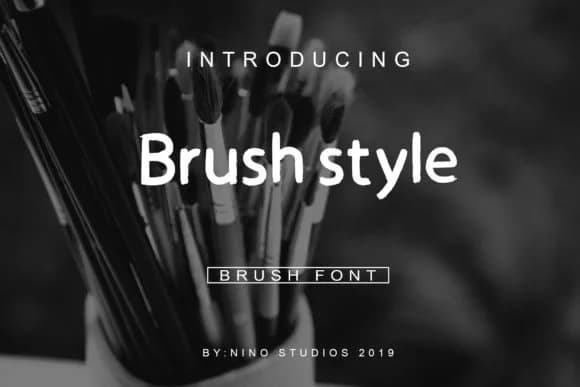
Picture a roaster's new coffee bag landing on a café counter, with hand-rendered lettering that feels genuine, not templated. That's the impression Brush Style Font from Nino Studios delivers. Built with authentic brushwork, this script captures the feel of marker strokes and quick pen work without losing legibility or refinement.
Where brands need personality with polish, this font works best. Use it for artisanal coffee roasting labels, craft beverage packaging, or small-batch cosmetics branding. It suits hand-lettered social media graphics and lifestyle blog headers equally well. Because the strokes carry that lived-in quality, it reads clearly at large sizes for event posters or storefront signage without feeling overly ornamental. You can apply it to packaging mockups, promotional imagery, or even t-shirt design mockups where other scripts might feel too fussy or stiff.
Balance between character and restraint is the real strength here. It doesn't demand to be the loudest voice in your design, but it brings genuine texture and human warmth to every application. Paired with minimal layouts or clean brand guidelines, Brush Style becomes the detail that makes a design stay in someone's mind. You'll find it on Creative Fabrica and add it to your growing personal typeface collection.
How to Install Brush Style Font Font
Step-by-step instructions for every platform
- 1Download the Brush Style Font font file (.ttf or .otf).
- 2Locate the downloaded file in your Downloads folder.
- 3Right-click the font file.
- 4Select "Install" to install for the current user, or "Install for all users" to make it available system-wide.
- 5Brush Style Font is now available in Word, Photoshop, Illustrator, and all other apps.
More Script Handwritten Fonts
Browse all →







What pairs well with Brush Style Font?
Brush Style Font is a script font that shines as a display or heading face. Pair it with a clean sans-serif or serif font for body text — the contrast creates a clear hierarchy while the two styles stay balanced and easy to read.


Brush Style Font
by Nino Studios
Reviewed by the FontBoxDL team · Updated June 2026