
 1 / 8
1 / 8About Blossom Font
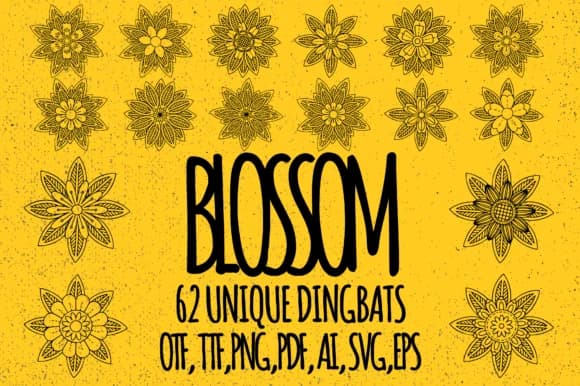
Blossom by Minimalistartstudio is a dingbats collection built from intricate botanical and floral motifs. The font gives you 62 unique elements that unlock through simple keystroke combinations: capital letters, lowercase letters, and numbers each trigger different flowers, branches, and botanical accents. You're building custom florals in your text editor without hunting through libraries or importing separate files.
The keystroke-to-glyph approach makes this especially useful for wedding invitation suites, where you need varied flower accents and flourishes throughout your layouts. Etsy sellers working with botanical packaging and herbal product labels can layer these illustrations directly into their designs, keeping a consistent visual language across their product line. Greeting card projects benefit from the range too, since the variety lets you create different moods and seasonal feels from one font. Scrapbooking layouts and DIY craft journals fit naturally here as well, letting you customize each page with different floral combinations without ever leaving your design software.
Once you learn the character mapping, the keystroke system keeps your workflow fast and intuitive, no fumbling with libraries or separate files. Get Blossom on Creative Fabrica and start building designs with botanical elements that feel carefully chosen, not off-the-shelf.
Style & Use Cases
- Overall Style
- Iconographic, Blossom
- Use Case
- Icons, Accents
- Ideal For
- ornaments, bullets, and decorative flourishes
- Pairs With
- any text font
How to Install Blossom Font
Step-by-step instructions for every platform
- 1Download the Blossom font file (.ttf or .otf).
- 2Locate the downloaded file in your Downloads folder.
- 3Right-click the font file.
- 4Select "Install" to install for the current user, or "Install for all users" to make it available system-wide.
- 5Blossom is now available in Word, Photoshop, Illustrator, and all other apps.
More by Minimalistartstudio
View all →



Browse fonts by theme
Curated collections →Saw a font in a picture? Identify any font from an image with our free Font Finder.
More Dingbats Fonts
Browse all →







What pairs well with Blossom Font?
Blossom Font is a versatile dingbats font that works for both headings and body text. Pair it with a contrasting sans-serif or serif font to add visual interest and a clear distinction between titles and body copy.



Blossom Font
Reviewed by the FontBoxDL team · Updated July 2026