 Firefox
 1 / 8
1 / 8About Blooming Leaves Font
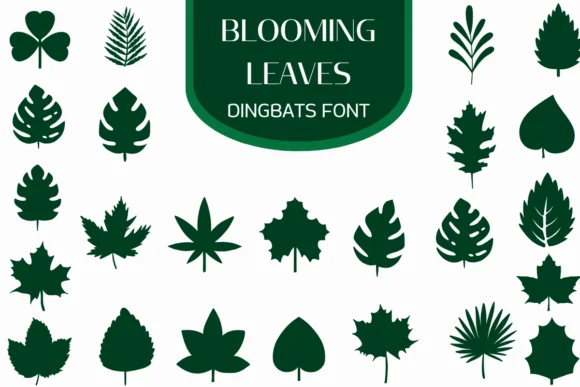
Blooming Leaves by Heartcraft Atelier is a dingbat collection of hand-drawn botanical forms designed with careful attention to natural variety. The set contains an extensive range of leaf shapes, from tropical monstera and palm fronds down to classic oak and maple varieties, offering you a full library of botanical reference marks that feel thoughtfully designed rather than generic. Each glyph renders as a clean vector outline, entirely scalable without any loss of crispness or detail. Both OTF and TTF formats are included, making these shapes compatible with Procreate, Affinity Designer, Affinity Photo, and your other standard design tools.
These shapes work particularly well for herbalist and apothecary product labels, botanical sticker sheet collections, detailed garden journal spreads, and sustainable packaging designs centered on plant imagery. Designers frequently integrate them as ornamental borders inside logos, enlarge them as decorative frames in seasonal campaigns, or use them throughout entire brand identity systems with an eco-conscious foundation. Since the outlines stay sharp at any scale in vector format, you can easily color and customize them for die-cutting machines, digital painting in Procreate or Affinity, or print layouts.
You can find Blooming Leaves on Creative Fabrica, ready to bring these botanical forms into your next project.
Style & Use Cases
- Overall Style
- Iconographic, Fonts
- Use Case
- Icons, Accents
- Ideal For
- ornaments, bullets, and decorative flourishes
- Pairs With
- any text font
How to Install Blooming Leaves Font
Step-by-step instructions for every platform
- 1Download the Blooming Leaves font file (.ttf or .otf).
- 2Locate the downloaded file in your Downloads folder.
- 3Right-click the font file.
- 4Select "Install" to install for the current user, or "Install for all users" to make it available system-wide.
- 5Blooming Leaves is now available in Word, Photoshop, Illustrator, and all other apps.
More by Heartcraft Atelier
View all →



Browse fonts by theme
Curated collections →Saw a font in a picture? Identify any font from an image with our free Font Finder.
More Dingbats Fonts
Browse all →







What pairs well with Blooming Leaves Font?
Blooming Leaves Font is a versatile dingbats font that works for both headings and body text. Pair it with a contrasting sans-serif or serif font to add visual interest and a clear distinction between titles and body copy.




Blooming Leaves Font
Reviewed by the FontBoxDL team · Updated June 2026