 Firefox
 1 / 8
1 / 8About Beach Icon Collection Font
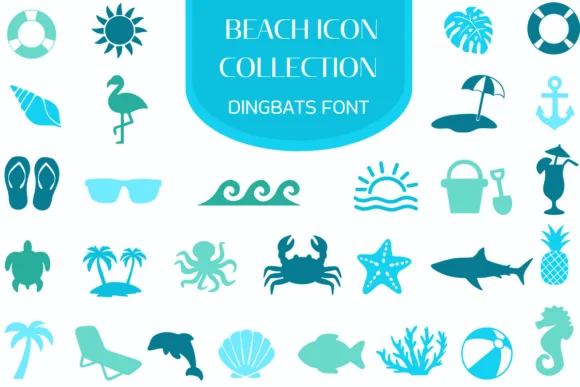
This collection captures the carefree spirit of coastal living through a set of playful, recognizable icon symbols that instantly transport you to vacation mode. Beach Icon Collection from Heartcraft Atelier brings authentic summer energy to creative projects without the kitsch or heavy-handed aesthetic that often undermines seasonal fonts.
You'll find genuine utility in this toolkit. The icons work beautifully for resort branding materials, decorative stationery designs on vacation-themed product packaging, summer camp graphics, promotional posters for waterfront events, and seaside wedding invitations. Whether scaled down as subtle footer accents or enlarged as visual anchors, each symbol maintains its clarity and character across different scales and applications. Layering multiple icons together creates rich visual depth and interest without the cluttered feeling that drags down many dingbat collections. The set comes in both OTF and TTF formats and integrates smoothly with Procreate, Affinity Designer, Affinity Photo, and a range of other professional creative applications you rely on daily.
Combine this with a clean, straightforward sans-serif for your body text or captions, which keeps the overall design readable and visually balanced. Grab Beach Icon Collection on Creative Fabrica to add authentic coastal character and true seasonal energy to your next design project.
Style & Use Cases
- Overall Style
- Iconographic, Fonts
- Use Case
- Icons, Accents
- Ideal For
- ornaments, bullets, and decorative flourishes
- Pairs With
- any text font
How to Install Beach Icon Collection Font
Step-by-step instructions for every platform
- 1Download the Beach Icon Collection font file (.ttf or .otf).
- 2Locate the downloaded file in your Downloads folder.
- 3Right-click the font file.
- 4Select "Install" to install for the current user, or "Install for all users" to make it available system-wide.
- 5Beach Icon Collection is now available in Word, Photoshop, Illustrator, and all other apps.
More by Heartcraft Atelier
View all →



Browse fonts by theme
Curated collections →Saw a font in a picture? Identify any font from an image with our free Font Finder.
More Dingbats Fonts
Browse all →







What pairs well with Beach Icon Collection Font?
Beach Icon Collection Font is a versatile dingbats font that works for both headings and body text. Pair it with a contrasting sans-serif or serif font to add visual interest and a clear distinction between titles and body copy.




Beach Icon Collection Font
Reviewed by the FontBoxDL team · Updated June 2026