 Firefox
 1 / 6
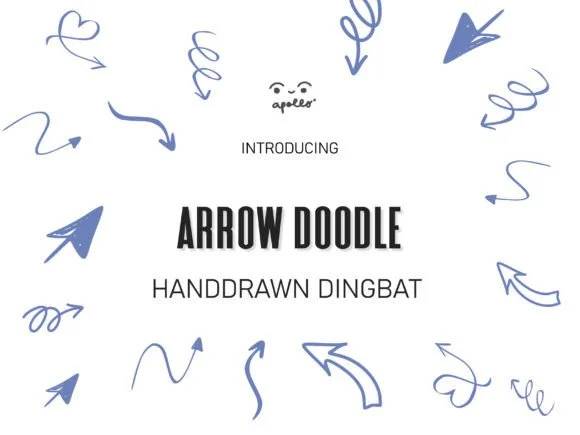
1 / 6About Arrow Doodle Font
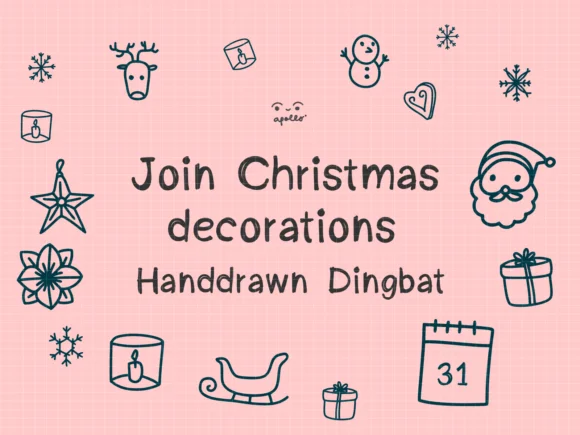
Arrow Doodle, designed by Apollo no.64, brings hand-drawn simplicity to directional symbols and playful dingbats. The letterforms feel authentically sketched rather than engineered, with organic curves and a loose, approachable aesthetic that reads more like creative doodling than formal typography. This casual, sketch-forward character makes the font particularly well-suited to projects where warmth and personality matter far more than rigid precision.
For product creators and designers, Arrow Doodle excels on wedding invitation suites, custom apparel for print-on-demand sellers, rustic cabin signage, and sublimation projects where a hand-sketched look adds genuine charm and visual interest. The dingbat set includes directional arrows and decorative shapes that give you real visual variety without hunting for multiple fonts to build your design. When framing content with flourishes or creating vintage-inspired graphics, the sketch-like quality gives everything an intentional, handmade appearance that customers recognize and respond to immediately.
This typeface connects best with indie makers, creative entrepreneurs, and anyone building designs that benefit from approachable, human-drawn aesthetics rather than slick, corporate looks. Find Arrow Doodle on Creative Fabrica to explore its complete symbol range and see how it transforms everyday design work into something truly memorable and distinctive.
Style & Use Cases
- Overall Style
- Iconographic, Arrow
- Use Case
- Icons, Accents
- Ideal For
- ornaments, bullets, and decorative flourishes
- Pairs With
- any text font
How to Install Arrow Doodle Font
Step-by-step instructions for every platform
- 1Download the Arrow Doodle font file (.ttf or .otf).
- 2Locate the downloaded file in your Downloads folder.
- 3Right-click the font file.
- 4Select "Install" to install for the current user, or "Install for all users" to make it available system-wide.
- 5Arrow Doodle is now available in Word, Photoshop, Illustrator, and all other apps.
More by Apollo no.64
View all →
Browse fonts by theme
Curated collections →Saw a font in a picture? Identify any font from an image with our free Font Finder.
More Dingbats Fonts
Browse all →







What pairs well with Arrow Doodle Font?
Arrow Doodle Font is a versatile dingbats font that works for both headings and body text. Pair it with a contrasting sans-serif or serif font to add visual interest and a clear distinction between titles and body copy.




Arrow Doodle Font
by Apollo no.64
Reviewed by the FontBoxDL team · Updated July 2026