 Firefox
 1 / 5
1 / 5About Agilo Handwriting Pro Font
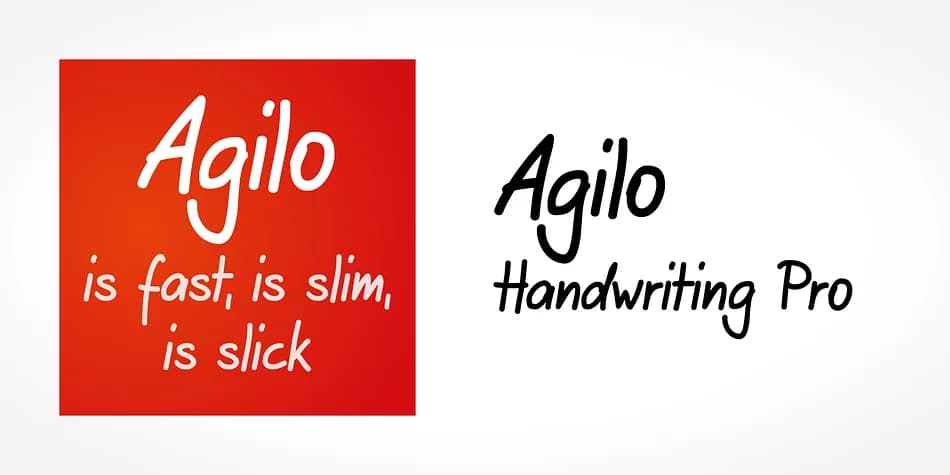
You're setting type for a handwritten-style wedding invitation suite, and Arial just won't cut it. Agilo Handwriting Pro, developed by SoftMaker, gives you that genuine pen-on-paper feel without sacrificing legibility at any size. The typeface is an upright, medium-weight style with a slight forward tilt that closely mimics natural handwriting strokes while keeping each character distinct and readable at a glance.
Where this font truly works is in scenarios like personalized thank you cards, recipe card collections for family cookbooks, DIY craft labels on handmade goods, and guest place cards for seated dinners. The OpenType features include several ligatures and alternate characters that you can swap in for visual variation, plus a random feature that automatically cycles through character options as you type. This means your body copy reads as authentically handwritten even when you're setting the same phrases repeatedly across multiple cards.
The medium weight remains crisp whether you're printing large on posters or small on delicate card stock. The non-connecting structure of each letter keeps words legible even at demanding sizes or unusual angles. Grab Agilo Handwriting Pro from Creative Fabrica and bring that handmade touch to your next project.
Style & Use Cases
- Overall Style
- Bold, Distinctive
- Use Case
- Headlines, Posters
- Ideal For
- logos, packaging, and standout titles
- Pairs With
- a neutral sans-serif
How to Install Agilo Handwriting Pro Font
Step-by-step instructions for every platform
- 1Download the Agilo Handwriting Pro font file (.ttf or .otf).
- 2Locate the downloaded file in your Downloads folder.
- 3Right-click the font file.
- 4Select "Install" to install for the current user, or "Install for all users" to make it available system-wide.
- 5Agilo Handwriting Pro is now available in Word, Photoshop, Illustrator, and all other apps.
More by SoftMaker
View all →



Browse fonts by theme
Curated collections →Saw a font in a picture? Identify any font from an image with our free Font Finder.
More Decorative Fonts
Browse all →







What pairs well with Agilo Handwriting Pro Font?
Agilo Handwriting Pro Font is a decorative font that shines as a display or heading face. Pair it with a clean sans-serif or serif font for body text — the contrast creates a clear hierarchy while the two styles stay balanced and easy to read.



Agilo Handwriting Pro Font
by SoftMaker
Reviewed by the FontBoxDL team · Updated July 2026