 Firefox
 1 / 6
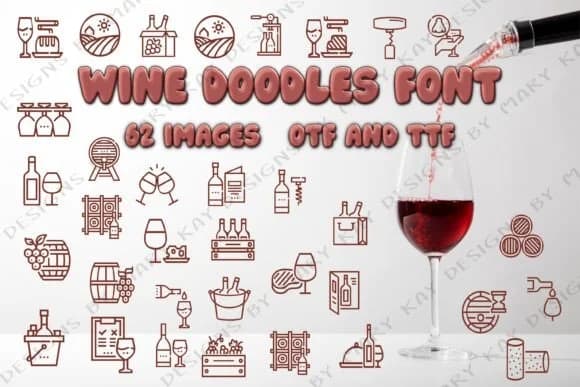
1 / 6About Wine Doodles Font
Wine Doodles is a playful dingbat collection from Mary Kay's Magic that captures the spirit of wine culture through charmingly illustrated icons and decorative elements. The collection centers on wine-related imagery, including wine bottles, glasses, and cork motifs that work exactly like any other font character, letting you color them, layer backgrounds, or keep them simple and clean.
These decorative glyphs suit a wide range of creative projects. Wine enthusiasts planning tasting event invitations can drop these icons into their designs for authentic visual flavor and immediate thematic impact. Scrapbookers and journal keepers especially appreciate the flexibility to coordinate colors with their layouts, mixing doodles with handwritten notes and photos. Social media content creators promoting wine brands or lifestyle blogs can weave these elements into Instagram graphics, story templates, and carousel posts. Planners benefit too, using wine cork doodles as decorative markers, weekly embellishments, or section dividers that add personality without overwhelming the page layout.
Available in both OTF and TTF formats, Wine Doodles works across design platforms and outputs beautifully on printed materials from labels to cards. The set is especially valuable for anyone creating wine-themed projects, whether that's event materials, personal planners, scrapbooks, or digital posts. Get Wine Doodles on Creative Fabrica and start adding a splash of wine imagery to your creative work.
Style & Use Cases
- Overall Style
- Iconographic, Dingbat Font
- Use Case
- Icons, Accents
- Ideal For
- ornaments, bullets, and decorative flourishes
- Pairs With
- any text font
How to Install Wine Doodles Font
Step-by-step instructions for every platform
- 1Download the Wine Doodles font file (.ttf or .otf).
- 2Locate the downloaded file in your Downloads folder.
- 3Right-click the font file.
- 4Select "Install" to install for the current user, or "Install for all users" to make it available system-wide.
- 5Wine Doodles is now available in Word, Photoshop, Illustrator, and all other apps.
More by Mary Kay's Magic
View all →
Browse fonts by theme
Curated collections →Saw a font in a picture? Identify any font from an image with our free Font Finder.
More Dingbats Fonts
Browse all →







What pairs well with Wine Doodles Font?
Wine Doodles Font is a versatile dingbats font that works for both headings and body text. Pair it with a contrasting sans-serif or serif font to add visual interest and a clear distinction between titles and body copy.



Wine Doodles Font
Reviewed by the FontBoxDL team · Updated July 2026