 Firefox
 1 / 4
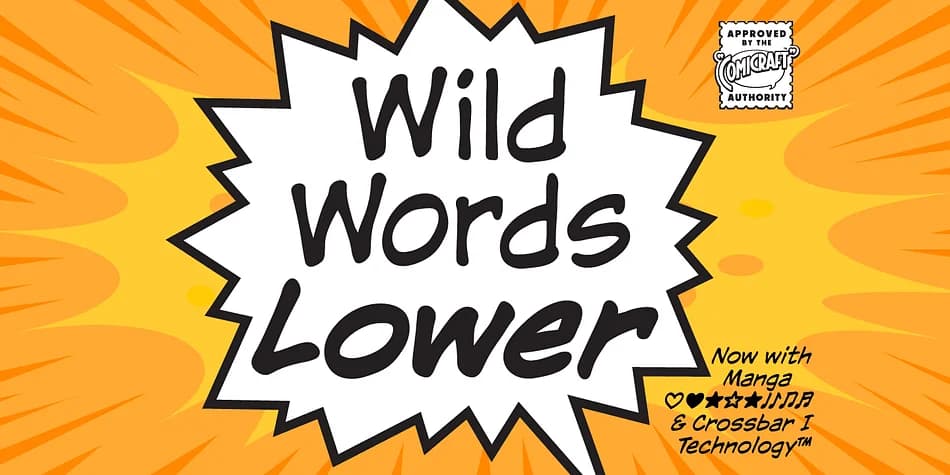
1 / 4About Wildwords Lower Font
When you're lettering a comic book cover that needs to punch through the noise on a comic shop shelf, Wildwords Lower from Comicraft delivers that kinetic energy without screaming every single letter in sight. This decorative typeface brings the raw exuberance of classic comic book design into contemporary projects, and the lowercase expansion means you finally have genuine flexibility for body copy and secondary headlines without losing the voice that makes it interesting.
The font thrives in graphic novel title sequences, indie game UI typography, alternative music poster layouts, and retro comic-inspired branding work. Its character reads as intentional rather than novelty-driven, which is harder to pull off in the decorative category than many designers assume. Pair it with more restrained typefaces for visual contrast, and it holds its own without feeling gimmicky or forced alongside serious typography in mixed layouts.
The addition of lowercase letters gives you real versatility in layouts where all-caps styling would feel limiting or simply wrong. At large display sizes, where this font feels most comfortable living, its personality really shines through and grabs attention. Pick it up from Creative Fabrica and use it whenever you need that genuine comic book punch in your work.
Style & Use Cases
- Overall Style
- Bold, Distinctive
- Use Case
- Headlines, Posters
- Ideal For
- logos, packaging, and standout titles
- Pairs With
- a neutral sans-serif
How to Install Wildwords Lower Font
Step-by-step instructions for every platform
- 1Download the Wildwords Lower font file (.ttf or .otf).
- 2Locate the downloaded file in your Downloads folder.
- 3Right-click the font file.
- 4Select "Install" to install for the current user, or "Install for all users" to make it available system-wide.
- 5Wildwords Lower is now available in Word, Photoshop, Illustrator, and all other apps.
More by Comicraft
View all →
Browse fonts by theme
Curated collections →Saw a font in a picture? Identify any font from an image with our free Font Finder.
More Decorative Fonts
Browse all →







What pairs well with Wildwords Lower Font?
Wildwords Lower Font is a decorative font that shines as a display or heading face. Pair it with a clean sans-serif or serif font for body text — the contrast creates a clear hierarchy while the two styles stay balanced and easy to read.



Wildwords Lower Font
by Comicraft
Reviewed by the FontBoxDL team · Updated July 2026