 Firefox
 1 / 5
1 / 5About Whitman Font
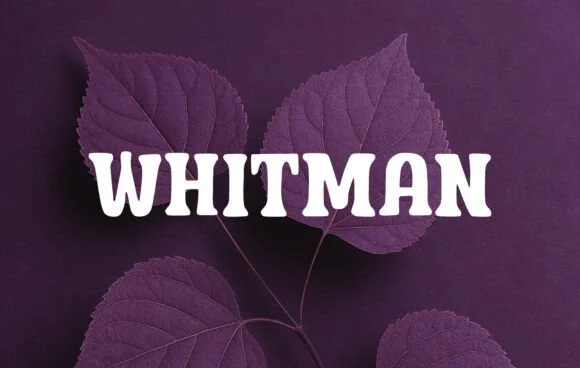
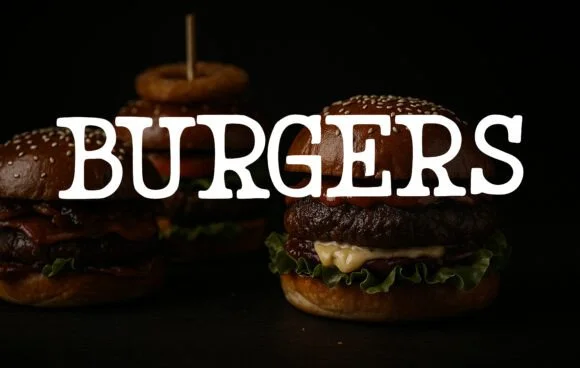
This font radiates a cheerful, easygoing personality that feels both timeless and genuinely current. Whitman, designed by OliviaFontCo, is a slab serif that marries retro charm with genuine contemporary appeal. Its rounded terminals and sturdy letterforms create warmth without sacrificing readability, making it work effectively across multiple different contexts and applications.
The font shines on children's book covers where its approachable character draws young readers in, vintage-inspired small-business branding that needs genuine character without pretension, school posters and certificates that deserve more visual personality than standard sans options, and DIY craft projects where homemade charm is actually the point. If you're building scrapbook layouts, designing retro product labels for creative supply shops, or developing packaging for handmade goods, Whitman delivers without feeling forced or overwrought. Its clean, solid construction means you can deploy it effectively at various sizes, making it genuinely useful in contexts far beyond display headlines alone.
Pair it with a neutral, clean sans-serif typeface like Open Sans or Source Sans Pro to give body text room to breathe while Whitman commands full attention in headings and feature text throughout your design. Grab it on Creative Fabrica to add this personality-packed slab serif to your next creative project.
Style & Use Cases
- Overall Style
- Sturdy, Confident, Whitman
- Use Case
- Headlines, Merch
- Ideal For
- vintage posters, logos, and product packaging
- Pairs With
- a light sans-serif
How to Install Whitman Font
Step-by-step instructions for every platform
- 1Download the Whitman font file (.ttf or .otf).
- 2Locate the downloaded file in your Downloads folder.
- 3Right-click the font file.
- 4Select "Install" to install for the current user, or "Install for all users" to make it available system-wide.
- 5Whitman is now available in Word, Photoshop, Illustrator, and all other apps.
More by OliviaFontCo
View all →
Browse fonts by theme
Curated collections →Saw a font in a picture? Identify any font from an image with our free Font Finder.
More Slab Serif Fonts
Browse all →







What pairs well with Whitman Font?
Whitman Font is a slab serif font that shines as a display or heading face. Pair it with a clean sans-serif or serif font for body text — the contrast creates a clear hierarchy while the two styles stay balanced and easy to read.




Whitman Font
by OliviaFontCo
Reviewed by the FontBoxDL team · Updated August 2026