 Firefox
 1 / 4
1 / 4About Warning Tables Font
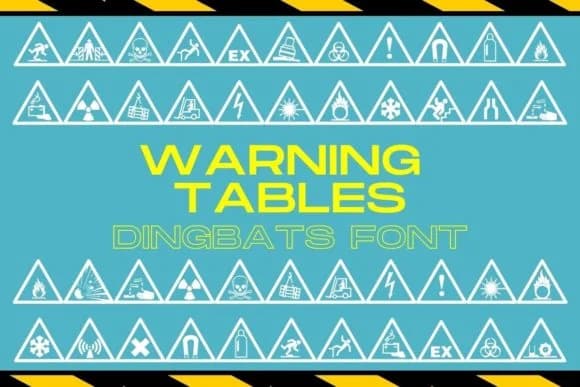
When clarity and caution need to speak instantly, Warning Tables steps in. Designed by design.steiner, this dingbats font delivers a comprehensive set of warning and caution sign icons that work hard in safety-focused layouts across industries.
Build clearer user manuals and assembly instructions where symbols do the heavy lifting alongside text. Create facility wayfinding systems or construction site signage that communicates hazards and safety zones without words. Design safety certification labels for industrial products, tool packaging, or eco-labeled goods that need instant visual recognition. Use it in digital interfaces for alert notifications, dashboard warnings, and status indicators that stop users mid-scroll. Print it on wayfinding posters, facility guidelines, or emergency procedure charts where every glyph must be unmistakable.
The font delivers its warning glyphs as a TTF file, giving you consistent, scalable icons that work across screen and print. Icons remain crisp and readable even at small sizes, essential for safety applications where confusion could be costly. Pair Warning Tables with a clean sans-serif like Inter or Roboto to handle supporting text and instructions, keeping the visual hierarchy clean so the warning symbols stay the focal point. Get it from Creative Fabrica to add authority to work where precision matters.
Style & Use Cases
- Overall Style
- Iconographic, Warning Caution Font
- Use Case
- Icons, Accents
- Ideal For
- ornaments, bullets, and decorative flourishes
- Pairs With
- any text font
How to Install Warning Tables Font
Step-by-step instructions for every platform
- 1Download the Warning Tables font file (.ttf or .otf).
- 2Locate the downloaded file in your Downloads folder.
- 3Right-click the font file.
- 4Select "Install" to install for the current user, or "Install for all users" to make it available system-wide.
- 5Warning Tables is now available in Word, Photoshop, Illustrator, and all other apps.
More by design.steiner
View all →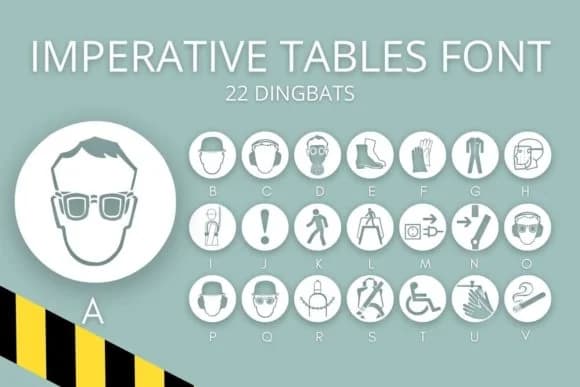


Browse fonts by theme
Curated collections →Saw a font in a picture? Identify any font from an image with our free Font Finder.
More Dingbats Fonts
Browse all →







What pairs well with Warning Tables Font?
Warning Tables Font is a versatile dingbats font that works for both headings and body text. Pair it with a contrasting sans-serif or serif font to add visual interest and a clear distinction between titles and body copy.



Warning Tables Font
Reviewed by the FontBoxDL team · Updated July 2026