 Firefox
 1 / 8
1 / 8About Vintage Flowers Font
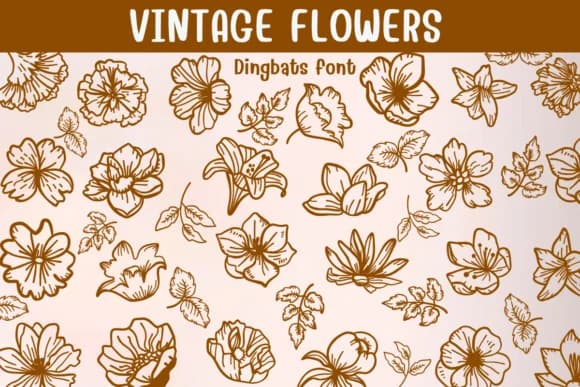
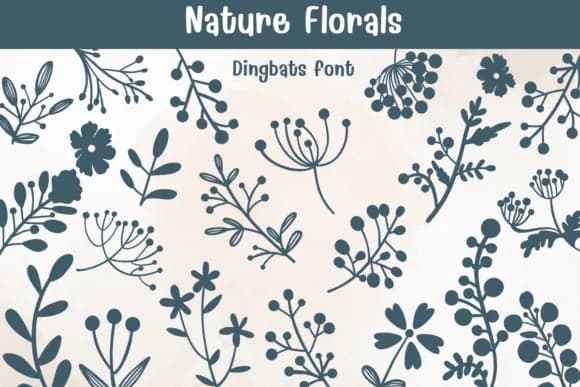
Picture yourself designing a wedding invitation suite where the border frames need something more personal than stock vectors, but sourcing custom botanical illustrations would blow the budget. Vintage Flowers by Sontaya is a dingbats collection of hand-drawn flower and leaf glyphs that fill exactly this gap. Each character is a single botanical element rendered with the kind of line weight and detail you'd see in old botanical reference books or mid-century printed ephemera.
The glyphs work surprisingly well for real projects. Wedding invitation corners and ornamental dividers benefit from their consistent, refined line work. Etsy sellers building luxury product label designs use them to frame product names without looking generic. Craft designers creating DIY garden-themed signage find they pair well with serif and sans-serif typefaces. Textile print designers even use individual glyphs as repeatable pattern units for boutique fabric mockups and textile branding.
Since every glyph is individually styled, you get a lot of visual variety when building borders, backgrounds, or scattered decorative layouts. The line-art rendering means they stay readable even when scaled up large, and you can layer or combine them to build custom combinations. Grab it on Creative Fabrica and you'll have a versatile toolkit for any project that needs organic detail without the custom illustration cost.
Style & Use Cases
- Overall Style
- Iconographic, Diy
- Use Case
- Icons, Accents
- Ideal For
- ornaments, bullets, and decorative flourishes
- Pairs With
- any text font
How to Install Vintage Flowers Font
Step-by-step instructions for every platform
- 1Download the Vintage Flowers font file (.ttf or .otf).
- 2Locate the downloaded file in your Downloads folder.
- 3Right-click the font file.
- 4Select "Install" to install for the current user, or "Install for all users" to make it available system-wide.
- 5Vintage Flowers is now available in Word, Photoshop, Illustrator, and all other apps.
Browse fonts by theme
Curated collections →Saw a font in a picture? Identify any font from an image with our free Font Finder.
More Dingbats Fonts
Browse all →







What pairs well with Vintage Flowers Font?
Vintage Flowers Font is a versatile dingbats font that works for both headings and body text. Pair it with a contrasting sans-serif or serif font to add visual interest and a clear distinction between titles and body copy.



Vintage Flowers Font
by Sontaya
Reviewed by the FontBoxDL team · Updated June 2026