 Firefox
 1 / 7
1 / 7About Valentine Parade Font
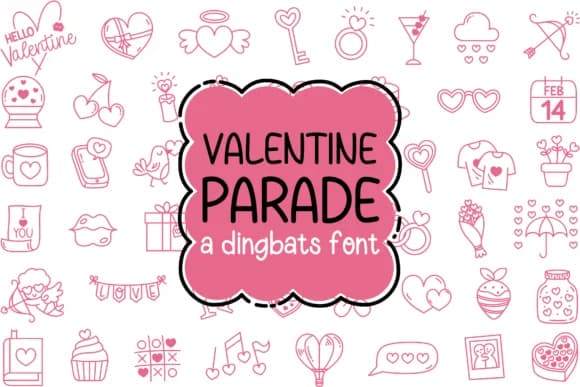
Picture yourself designing custom Valentine sticker packs or handmade greeting cards and realizing you need dozens of cute illustrations but lack the time to hand-draw each one. Type a single letter into Valentine Parade, a dingbat font created by IngingDigitalArt, and a unique hand-drawn romantic icon appears instantly. The font maps 52 charming doodles across the keyboard in both uppercase and lowercase, each one a distinct illustration rendered in a sketchy, personal style that reads as genuinely handmade.
The collection covers everything Valentine-related: hearts in multiple detailed styles, playful cupid figures, sweet treats like chocolate boxes and lollipops, decorative flourishes with ribbons and bows, and little charming messages. Working as a true dingbat typeface means you simply type to access the graphics, eliminating the tedious process of hunting through folders or resizing image files individually. This efficiency is especially valuable when creating hand-drawn sticker sheets, personalized wedding invitation inserts, DIY craft gift tag suites, and indie boutique product labels where customers specifically seek that authentic hand-crafted aesthetic.
The icons hold crisp detail at any size, whether printing tiny on product labels or large on signage. Get Valentine Parade on Creative Fabrica and design with the confidence that your work looks genuinely hand-drawn.
Style & Use Cases
- Overall Style
- Iconographic, Valentine Dingbats
- Use Case
- Icons, Accents
- Ideal For
- ornaments, bullets, and decorative flourishes
- Pairs With
- any text font
How to Install Valentine Parade Font
Step-by-step instructions for every platform
- 1Download the Valentine Parade font file (.ttf or .otf).
- 2Locate the downloaded file in your Downloads folder.
- 3Right-click the font file.
- 4Select "Install" to install for the current user, or "Install for all users" to make it available system-wide.
- 5Valentine Parade is now available in Word, Photoshop, Illustrator, and all other apps.
More by IngingDigitalArt
View all →
Browse fonts by theme
Curated collections →Saw a font in a picture? Identify any font from an image with our free Font Finder.
More Dingbats Fonts
Browse all →







What pairs well with Valentine Parade Font?
Valentine Parade Font is a versatile dingbats font that works for both headings and body text. Pair it with a contrasting sans-serif or serif font to add visual interest and a clear distinction between titles and body copy.



Valentine Parade Font
Reviewed by the FontBoxDL team · Updated June 2026