 Firefox
 1 / 5
1 / 5About Valentine Font
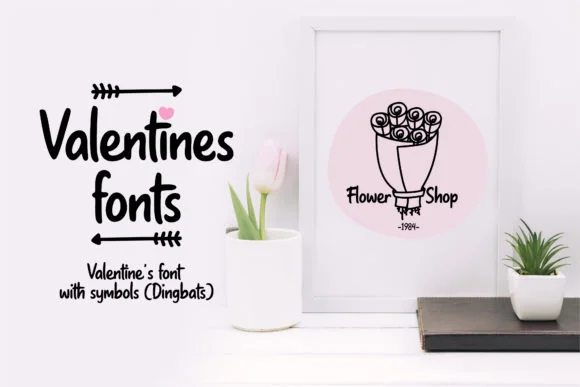
Valentine by himoki is a dingbats font built around romantic and nature-inspired icons that give your work a warm, handmade feel. The collection pulls together hearts, flowers, leaves, coffee motifs, and delicate plant elements that work beautifully when layered with your typography or used alone as standalone decorative accents.
This font shines for Valentine's Day greeting cards, coffee shop signage and labels, wedding invitation suites, and DIY craft signs where ornamental details make a real difference. The individual characters let you pick and mix elements to build custom illustrations or ornamental borders without needing any design or illustration skills. If you're designing romantic stationery or running a small-batch café brand, these dingbats deliver personality and visual warmth that feels genuine rather than corporate or generic.
Since these are true dingbat characters, they integrate smoothly into most design software and print workflows. You can scale them freely, colorize them to match your palette, and combine multiple characters into custom badges or ornamental dividers for seasonal designs. The full collection gives you enough flexibility to create layered compositions that feel intentional and cohesive. Get Valentine from Creative Fabrica and start building decorative elements into your next design project.
Style & Use Cases
- Overall Style
- Iconographic, Love
- Use Case
- Icons, Accents
- Ideal For
- ornaments, bullets, and decorative flourishes
- Pairs With
- any text font
How to Install Valentine Font
Step-by-step instructions for every platform
- 1Download the Valentine font file (.ttf or .otf).
- 2Locate the downloaded file in your Downloads folder.
- 3Right-click the font file.
- 4Select "Install" to install for the current user, or "Install for all users" to make it available system-wide.
- 5Valentine is now available in Word, Photoshop, Illustrator, and all other apps.
More by himoki
View all →
Browse fonts by theme
Curated collections →Saw a font in a picture? Identify any font from an image with our free Font Finder.
More Dingbats Fonts
Browse all →







What pairs well with Valentine Font?
Valentine Font is a versatile dingbats font that works for both headings and body text. Pair it with a contrasting sans-serif or serif font to add visual interest and a clear distinction between titles and body copy.




Valentine Font
by himoki
Reviewed by the FontBoxDL team · Updated July 2026