
 1 / 8
1 / 8About Tool Font
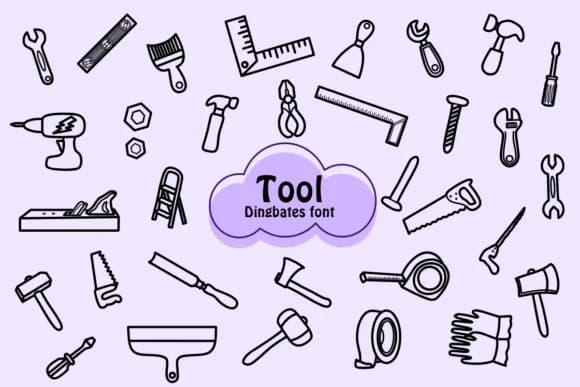
Tool by Chonada is a dingbat font built entirely from tool symbols and working instruments. Each character maps to a different piece of equipment, from hammers and wrenches to saws and screwdrivers, letting you drop these icons straight into your layouts without hunting for external graphics. The font carries that sketchy, hand-drawn aesthetic that reads as approachable and grounded in real craft, making it feel more human than your standard symbol set.
You'll find this font shines on construction site signage and safety posters where clarity and quick visual scanning are essential. Workshop organization labels, DIY tutorial graphics, hardware store display signage, and renovation blog graphics all benefit from having these glyphs ready to go within your typography. The isolated, black-and-white design keeps everything clean and legible whether you're scaling up for a banner or sizing down for a small label on a storage box or tool chest. It works equally well for instruction manual illustrations, woodworking guides, or even app interfaces where tool icons need to feel authentic and intentional. This collection eliminates the gap between concept and execution, letting you convey tool-related content through typeface alone.
Grab Tool on Creative Fabrica to start embedding these working-world symbols into your next project.
Style & Use Cases
- Overall Style
- Iconographic, Doodle
- Use Case
- Icons, Accents
- Ideal For
- ornaments, bullets, and decorative flourishes
- Pairs With
- any text font
How to Install Tool Font
Step-by-step instructions for every platform
- 1Download the Tool font file (.ttf or .otf).
- 2Locate the downloaded file in your Downloads folder.
- 3Right-click the font file.
- 4Select "Install" to install for the current user, or "Install for all users" to make it available system-wide.
- 5Tool is now available in Word, Photoshop, Illustrator, and all other apps.




Browse fonts by theme
Curated collections →Saw a font in a picture? Identify any font from an image with our free Font Finder.
More Dingbats Fonts
Browse all →







What pairs well with Tool Font?
Tool Font is a versatile dingbats font that works for both headings and body text. Pair it with a contrasting sans-serif or serif font to add visual interest and a clear distinction between titles and body copy.



Tool Font
by Chonada
Reviewed by the FontBoxDL team · Updated July 2026