 Firefox
 1 / 6
1 / 6About Student Font
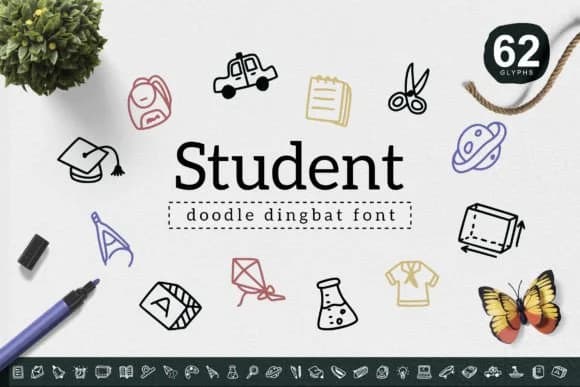
Student by YandiDesigns is a playful, hand-drawn dingbat collection that brings a lighthearted, sketched aesthetic to any creative project. The simple, geometric icon style works beautifully for planner stickers and bullet journal spreads, giving your layouts that casual, personal touch that digital elements often fail to capture. Teachers and educators use it regularly for worksheet decorations and classroom materials, where the kid-friendly vibe feels right at home and keeps the design feeling authentic rather than corporate. Scrapbook pages and DIY greeting card designs benefit enormously from the approachable illustration style, which feels warm and inviting without looking overly fussy or trying too hard.
Beyond the obvious applications, this font shines in settings where you need custom t-shirt graphics or merchandise design for small batches and independent makers. The symbol set translates beautifully to vinyl cutting for wall decals and craft projects, and works nicely as embellishments across Instagram stories, social media posts, or Etsy product listing graphics. Parents creating children's book layouts or custom activity books find the character set particularly useful for educational and entertainment purposes. Each icon carries that handmade, sketched quality that reads as genuine design thinking rather than a generic clip-art solution.
The straightforward construction means clean, crisp output at any size: drop a single symbol into a logo mark or fill an entire background with pattern density and visual interest. Find Student on Creative Fabrica and add this versatile dingbat set to your design toolkit.
Style & Use Cases
- Overall Style
- Iconographic, Student
- Use Case
- Icons, Accents
- Ideal For
- ornaments, bullets, and decorative flourishes
- Pairs With
- any text font
How to Install Student Font
Step-by-step instructions for every platform
- 1Download the Student font file (.ttf or .otf).
- 2Locate the downloaded file in your Downloads folder.
- 3Right-click the font file.
- 4Select "Install" to install for the current user, or "Install for all users" to make it available system-wide.
- 5Student is now available in Word, Photoshop, Illustrator, and all other apps.
More by YandiDesigns
View all →
Browse fonts by theme
Curated collections →Saw a font in a picture? Identify any font from an image with our free Font Finder.
More Dingbats Fonts
Browse all →







What pairs well with Student Font?
Student Font is a versatile dingbats font that works for both headings and body text. Pair it with a contrasting sans-serif or serif font to add visual interest and a clear distinction between titles and body copy.



Student Font
by YandiDesigns
Reviewed by the FontBoxDL team · Updated July 2026