 Firefox
 1 / 7
1 / 7About Sports Font
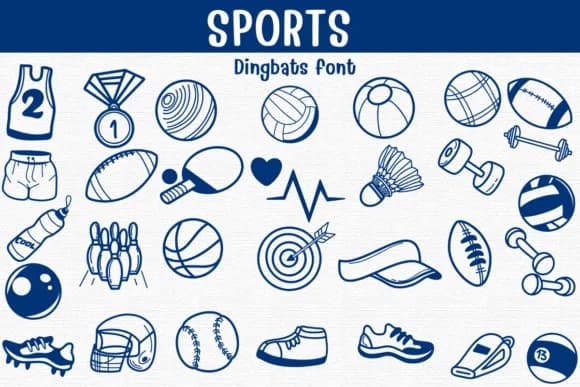
Sports by Sontaya is a dingbat font built around hand-drawn sports icons that give you instant graphics without needing to source separate image files or custom illustrations. Just type a character and get a matching icon from the 30+ collection: basketballs, baseballs, volleyballs, footballs, soccer balls, tennis equipment, boxing gloves, dumbbells, whistles, helmets, medals, and water bottles among others. The clean line-art style stays crisp at any size, whether displayed headline-sized or tucked into body copy as a small supporting accent.
This font accelerates workflow on fitness class marketing materials, youth sports team merchandise labels, trophy and medal design templates, and athletic competition scorecards and promotional materials. Gym signage, coaching handouts, and sports club newsletters all benefit from having these icons embedded in your font rather than hunting for image files separately. Spacing and scaling work automatically since the graphics are vector-based type integrated into the font itself, not external images. Its doodle-style approach feels equally at home in casual grassroots projects and polished professional brand systems, shifting tone and character based on the context and visual direction you're moving toward.
Get Sports on Creative Fabrica whenever you're ready to start adding these icons to your next design project.
Style & Use Cases
- Overall Style
- Iconographic, Sport
- Use Case
- Icons, Accents
- Ideal For
- ornaments, bullets, and decorative flourishes
- Pairs With
- any text font
How to Install Sports Font
Step-by-step instructions for every platform
- 1Download the Sports font file (.ttf or .otf).
- 2Locate the downloaded file in your Downloads folder.
- 3Right-click the font file.
- 4Select "Install" to install for the current user, or "Install for all users" to make it available system-wide.
- 5Sports is now available in Word, Photoshop, Illustrator, and all other apps.

Browse fonts by theme
Curated collections →Saw a font in a picture? Identify any font from an image with our free Font Finder.
More Dingbats Fonts
Browse all →







What pairs well with Sports Font?
Sports Font is a versatile dingbats font that works for both headings and body text. Pair it with a contrasting sans-serif or serif font to add visual interest and a clear distinction between titles and body copy.



Sports Font
by Sontaya
Reviewed by the FontBoxDL team · Updated June 2026