 Firefox
 1 / 8
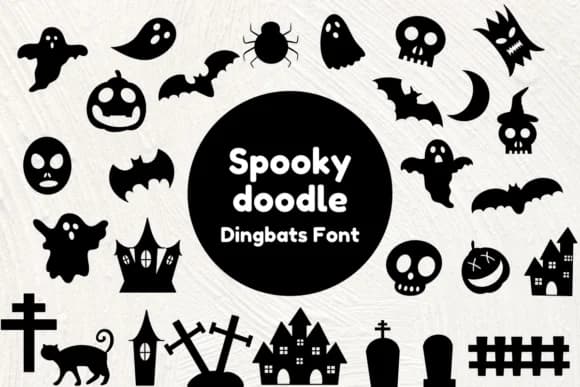
1 / 8About Spooky Doodle Font
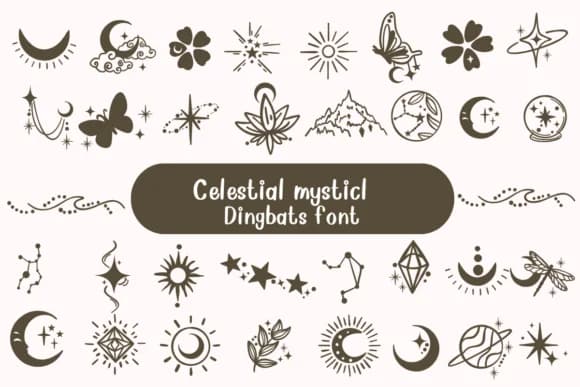
Spooky Doodle by Nun Sukhwan is a playful, handwritten dingbats font that mixes whimsy with spooky flair. The collection works particularly well for Halloween party invitations, DIY craft projects, kids' educational materials, and vintage-style packaging for seasonal products. Whether you're designing a family celebration or a small business label, this font gives you a range of decorative marks and icons that feel personal rather than polished.
The quirky aesthetic makes it ideal for t-shirt designs that target younger audiences or nostalgic shoppers, and it pairs smoothly with complementary typefaces for layering. The marks cut cleanly in craft applications, so it's reliable for die-cut projects and homemade party decorations. If you work in logo design or branding for playful brands, the dingbats provide flexible building blocks that read instantly as fun without feeling forced or overwrought.
What really sets Spooky Doodle apart is its balance between decoration and genuine usability. Many dingbat fonts lean purely ornamental, making them hard to integrate into actual work. This one shifts that balance in a useful direction. You'll find plenty of reasons to reach for it, from teacher worksheets to handmade greeting cards to social media graphics. Get this font on Creative Fabrica and see what it does for your projects.
Style & Use Cases
- Overall Style
- Iconographic, Spooky Doodle
- Use Case
- Icons, Accents
- Ideal For
- ornaments, bullets, and decorative flourishes
- Pairs With
- any text font
How to Install Spooky Doodle Font
Step-by-step instructions for every platform
- 1Download the Spooky Doodle font file (.ttf or .otf).
- 2Locate the downloaded file in your Downloads folder.
- 3Right-click the font file.
- 4Select "Install" to install for the current user, or "Install for all users" to make it available system-wide.
- 5Spooky Doodle is now available in Word, Photoshop, Illustrator, and all other apps.
More by Nun Sukhwan
View all →

Browse fonts by theme
Curated collections →Saw a font in a picture? Identify any font from an image with our free Font Finder.
More Dingbats Fonts
Browse all →





What pairs well with Spooky Doodle Font?
Spooky Doodle Font is a versatile dingbats font that works for both headings and body text. Pair it with a contrasting sans-serif or serif font to add visual interest and a clear distinction between titles and body copy.



Spooky Doodle Font
by Nun Sukhwan
Reviewed by the FontBoxDL team · Updated July 2026