 Firefox
 1 / 8
1 / 8About Spooky Cute Dingbats Font
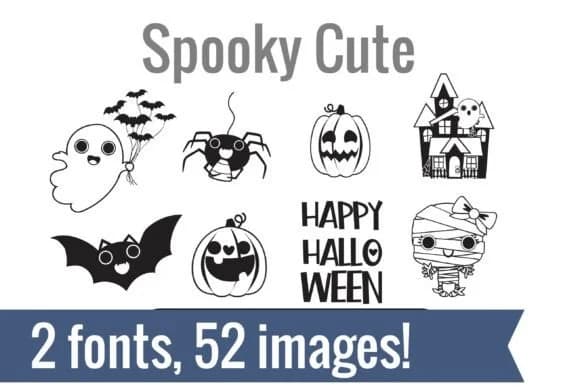
Spooky Cute Dingbats by Illustration Ink is a Halloween dingbat duo filled with 52 charming illustrations that lean toward kawaii instead of creepy. The set includes two coordinating fonts packed with character designs: ghost friends clutching balloon bats, cats wearing pumpkin heads, bow-adorned mummies, cheerful witches perched on crescents, and haunted houses rendered in an approachable style. Text ornaments scattered throughout add playful phrases such as "Boo to You" and "Too Cute to Spook" that capture the lighthearted tone.
The second font shifts focus to Halloween treats: lollipops with eyeballs, monster cupcakes, candy corn arranged in little bowls, steaming cocoa cups, and cauldrons of mysterious brews. It includes sayings like "Trick or Treat" and "Sweet and Spooky" that pair naturally with the treat imagery. These two fonts come together beautifully for Halloween party invitations, DIY trick-or-treat bag designs, printable coloring sheets, and personalized greeting cards. You can cut, sketch, and print each glyph with ease across major design and cutting software without any technical hassle.
This is the right choice if you want Halloween fun without fright, especially for younger audiences and handmade gift brands. Grab Spooky Cute Dingbats on Creative Fabrica and start layering these playful characters into your creative work.
Style & Use Cases
- Overall Style
- Iconographic, Halloween
- Use Case
- Icons, Accents
- Ideal For
- ornaments, bullets, and decorative flourishes
- Pairs With
- any text font
How to Install Spooky Cute Dingbats Font
Step-by-step instructions for every platform
- 1Download the Spooky Cute Dingbats font file (.ttf or .otf).
- 2Locate the downloaded file in your Downloads folder.
- 3Right-click the font file.
- 4Select "Install" to install for the current user, or "Install for all users" to make it available system-wide.
- 5Spooky Cute Dingbats is now available in Word, Photoshop, Illustrator, and all other apps.
More by Illustration Ink
View all →



Browse fonts by theme
Curated collections →Saw a font in a picture? Identify any font from an image with our free Font Finder.
More Dingbats Fonts
Browse all →







What pairs well with Spooky Cute Dingbats Font?
Spooky Cute Dingbats Font is a versatile dingbats font that works for both headings and body text. Pair it with a contrasting sans-serif or serif font to add visual interest and a clear distinction between titles and body copy.



Spooky Cute Dingbats Font
Reviewed by the FontBoxDL team · Updated June 2026