 Firefox
 1 / 10
About Smoke Signals Font
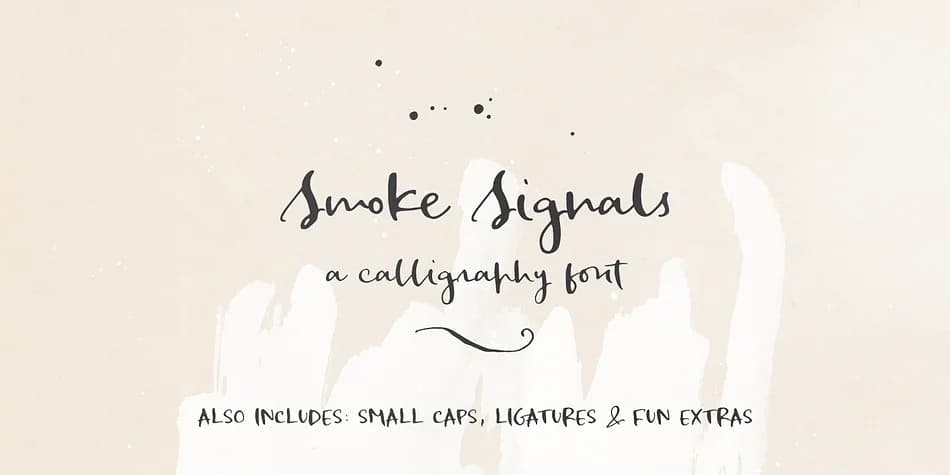
Each letterform in Smoke Signals carries the fluid, organic quality of real dip pen work, where ink's natural inconsistency creates authentic character throughout the typeface. Designed by Ana's Fonts, this calligraphy typeface brings handwritten sophistication to projects that need a lived-in, vintage sensibility rather than sterile geometric precision.
The comprehensive feature set supports both functional typography and decorative flourish. Ligatures smooth letter connections for more natural reading flow. Small caps function as an alternative uppercase treatment when you need variety. A dedicated ornament set offers decorative accents, while grunge elements (splatters, ink blots, scratches) inject raw texture and movement into layouts. Ten paper textures sourced from vintage record sleeves and old notebook pages let you layer authentic grain directly into your final designs.
Smoke Signals excels in wedding invitation suites, custom greeting card sets, boutique candle label design, and hand-lettered logo work. The vintage character works beautifully for handwritten social media graphics, artist portfolio covers, and any branding system that benefits from a personal, deliberately imperfect aesthetic. Whenever you need handmade warmth instead of geometric sterility, this font delivers the goods. Find Smoke Signals on Creative Fabrica.
Style & Use Cases
- Overall Style
- Iconographic
- Use Case
- Icons, Accents
- Ideal For
- ornaments, bullets, and decorative flourishes
- Pairs With
- any text font
How to Install Smoke Signals Font
Step-by-step instructions for every platform
- 1Download the Smoke Signals font file (.ttf or .otf).
- 2Locate the downloaded file in your Downloads folder.
- 3Right-click the font file.
- 4Select "Install" to install for the current user, or "Install for all users" to make it available system-wide.
- 5Smoke Signals is now available in Word, Photoshop, Illustrator, and all other apps.
More by Ana's Fonts
View all →

Browse fonts by theme
Curated collections →Saw a font in a picture? Identify any font from an image with our free Font Finder.
More Dingbats Fonts
Browse all →







What pairs well with Smoke Signals Font?
Smoke Signals Font is a versatile dingbats font that works for both headings and body text. Pair it with a contrasting sans-serif or serif font to add visual interest and a clear distinction between titles and body copy.



Smoke Signals Font
by Ana's Fonts
Reviewed by the FontBoxDL team · Updated August 2026