 Firefox
 1 / 6
1 / 6About Smart Kid Font
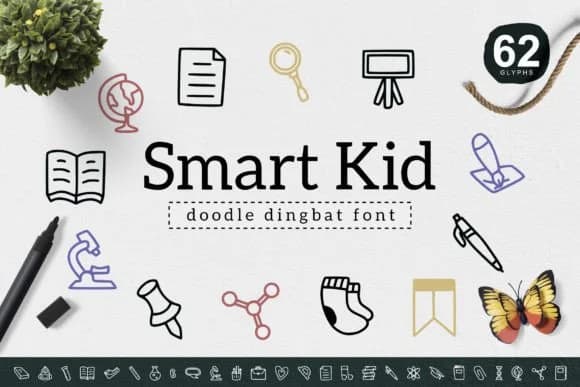
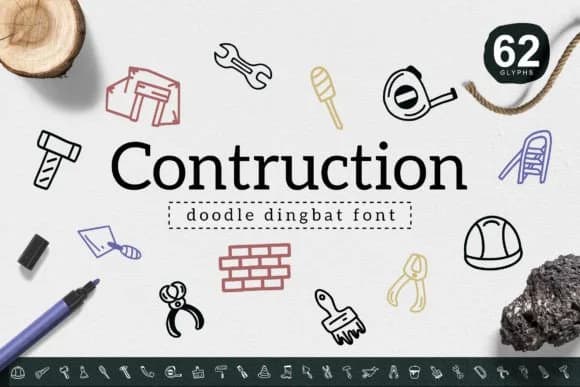
This dingbat font has a youthful, sketch-like charm that feels anything but corporate. Smart Kid, created by YandiDesigns, is a collection of simple yet expressive vector symbols and icons that work equally well for playful branding as they do for practical, everyday projects. You'll find these hand-drawn marks perfect for DIY printable sticker sheets, custom apparel graphics, personalized gift card designs, and small-batch product labels. The sketchy line quality gives every project that authentic handmade aesthetic, even when you're working digitally. Use them for Etsy marketplace designs, school fundraiser graphics, or personal projects. These icons bring personality without requiring any illustration skill of your own.
The clean, minimal approach to each symbol means they scale beautifully from tiny (like packaging seals or envelope stickers) all the way up to large format (poster elements or wall art) without losing legibility or character. This makes the font exceptionally versatile for makers and small business owners who need reliable visual elements but don't want results that look mass-produced and generic. Combine Smart Kid with a warm, modern sans-serif typeface when you need to include body copy alongside your icons, letting the dingbats anchor your visual story. Pick it up from Creative Fabrica to start adding that distinctive hand-drawn character to your designs.
Style & Use Cases
- Overall Style
- Iconographic, Smart
- Use Case
- Icons, Accents
- Ideal For
- ornaments, bullets, and decorative flourishes
- Pairs With
- any text font
How to Install Smart Kid Font
Step-by-step instructions for every platform
- 1Download the Smart Kid font file (.ttf or .otf).
- 2Locate the downloaded file in your Downloads folder.
- 3Right-click the font file.
- 4Select "Install" to install for the current user, or "Install for all users" to make it available system-wide.
- 5Smart Kid is now available in Word, Photoshop, Illustrator, and all other apps.
More by YandiDesigns
View all →
Browse fonts by theme
Curated collections →Saw a font in a picture? Identify any font from an image with our free Font Finder.
More Dingbats Fonts
Browse all →







What pairs well with Smart Kid Font?
Smart Kid Font is a versatile dingbats font that works for both headings and body text. Pair it with a contrasting sans-serif or serif font to add visual interest and a clear distinction between titles and body copy.



Smart Kid Font
by YandiDesigns
Reviewed by the FontBoxDL team · Updated August 2026