 Firefox
 1 / 5
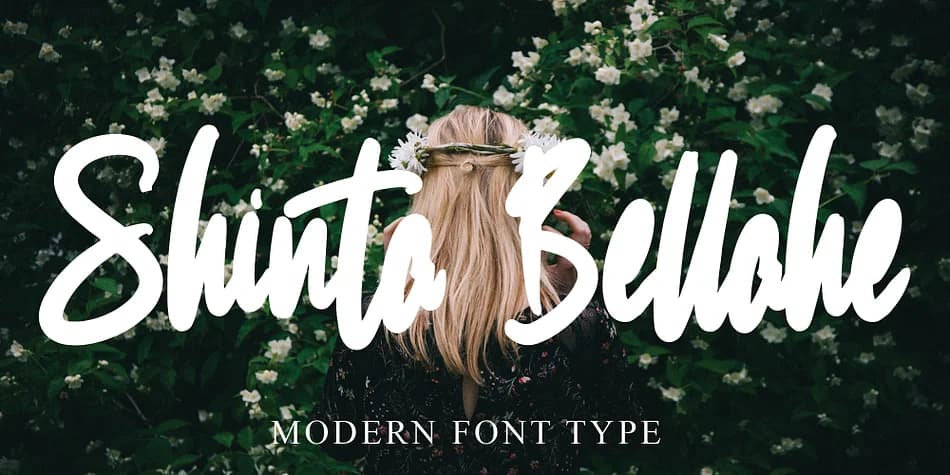
1 / 5About Shinta Bellahe Font
Shinta Bellahe strikes a balance between inviting and refined. Designed by Ayska, this flowing script brings genuine character and careful craftsmanship to designs that call for personality without losing polish.
The letterforms move naturally across the page, making Shinta Bellahe an obvious choice for wedding invitation suites, particularly when you want guests to sense the effort and care in every detail. It performs just as well on product labels for artisan goods, boutique skincare packaging, or handwritten gift tags. Planners and journal covers gain immediate visual interest when titles wear this typeface, signaling thoughtful curation rather than templated defaults. Professional applications benefit too: luxury packaging, high-end brand identity systems, and upscale retail design all gain depth when Shinta Bellahe anchors the visual narrative.
What makes this font adaptable is its restraint. It's ornate enough to feel special, but not so elaborate that it sacrifices legibility or tips into preciousness. Pair Shinta Bellahe with a clean geometric sans-serif for body text and supporting elements: the contrast keeps the layout grounded while giving the script room to stand out. Get it from Creative Fabrica and make it part of your regular rotation.
Style & Use Cases
- Overall Style
- Elegant, Flowing
- Use Case
- Invitations, Branding
- Ideal For
- wedding stationery, greeting cards, and signatures
- Pairs With
- a simple uppercase sans
How to Install Shinta Bellahe Font
Step-by-step instructions for every platform
- 1Download the Shinta Bellahe font file (.ttf or .otf).
- 2Locate the downloaded file in your Downloads folder.
- 3Right-click the font file.
- 4Select "Install" to install for the current user, or "Install for all users" to make it available system-wide.
- 5Shinta Bellahe is now available in Word, Photoshop, Illustrator, and all other apps.

Browse fonts by theme
Curated collections →Saw a font in a picture? Identify any font from an image with our free Font Finder.
More Script Handwritten Fonts
Browse all →







What pairs well with Shinta Bellahe Font?
Shinta Bellahe Font is a script font that shines as a display or heading face. Pair it with a clean sans-serif or serif font for body text — the contrast creates a clear hierarchy while the two styles stay balanced and easy to read.



Shinta Bellahe Font
by Ayska
Reviewed by the FontBoxDL team · Updated July 2026