 Firefox
 1 / 8
1 / 8Loading font…
About Shining Star Font
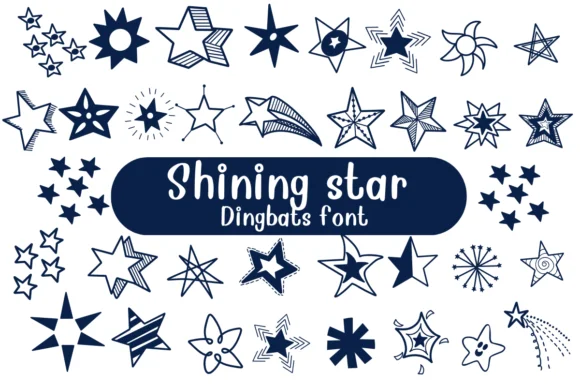
Shining Star by Nongyao is a playful dingbat font where every character transforms into a different star variation. Rather than settling for generic sparkle elements, you get a collection of distinct star interpretations, each with its own personality and visual character. The outline-style rendering means these glyphs work beautifully across Procreate, Affinity Designer, and Affinity Photo, so whether you're designing digitally or preparing assets for print, they integrate cleanly into your existing creative tools.
This font delivers real value for projects that need visual variety without unnecessary complications. Build coloring book pages and educational worksheets where young learners pick different stars to fill in, adding an element of choice to the experience. Greeting card designers will find the range useful for everything from birthday celebrations to complete holiday suites. Astrology-inspired branding, event signage, and craft sticker sheet layouts all benefit from having multiple star characters to scatter across your compositions. Layer them to build focal points, or use individual characters as icons within larger designs. The cosmic, celebratory quality works equally well for spiritual wellness projects, children's book illustrations, or simply adding visual interest to social media graphics and promotional materials.
Pick up Shining Star on Creative Fabrica and start building with something that actually delivers personality.
Style & Use Cases
- Overall Style
- Iconographic, Fonts
- Use Case
- Icons, Accents
- Ideal For
- ornaments, bullets, and decorative flourishes
- Pairs With
- any text font
How to Install Shining Star Font
Step-by-step instructions for every platform
- 1Download the Shining Star font file (.ttf or .otf).
- 2Locate the downloaded file in your Downloads folder.
- 3Right-click the font file.
- 4Select "Install" to install for the current user, or "Install for all users" to make it available system-wide.
- 5Shining Star is now available in Word, Photoshop, Illustrator, and all other apps.




Browse fonts by theme
Curated collections →Saw a font in a picture? Identify any font from an image with our free Font Finder.
More Dingbats Fonts
Browse all →







What pairs well with Shining Star Font?
Shining Star Font is a versatile dingbats font that works for both headings and body text. Pair it with a contrasting sans-serif or serif font to add visual interest and a clear distinction between titles and body copy.




Shining Star Font
by Nongyao
Reviewed by the FontBoxDL team · Updated October 2026