 Firefox
 1 / 8
1 / 8Loading font…
About Rose Font
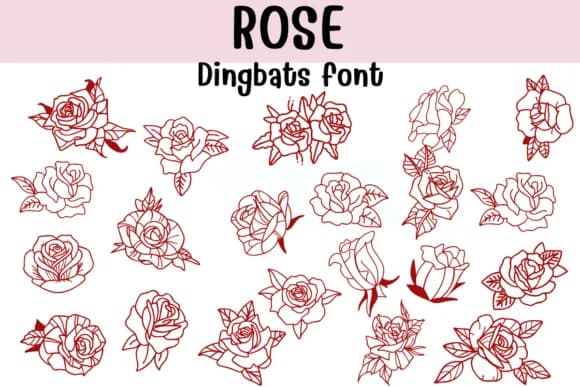
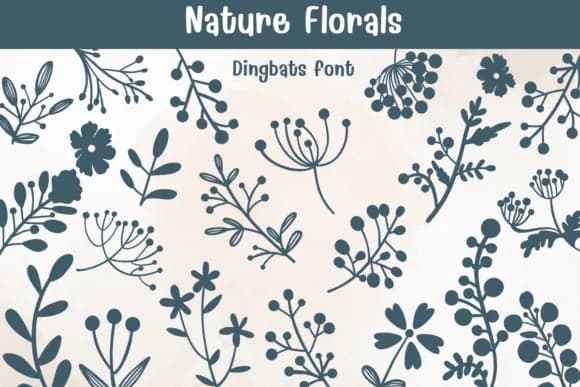
Rose, designed by Sontaya, is a hand-drawn dingbats collection that brings botanical illustration directly into your design toolkit. Each character captures the organic curves and overlapping petals of rose blooms in various stages of bloom, rendered with careful line work that reads genuinely sketched rather than vector-traced. The attention to natural detail makes these glyphs work beautifully as standalone decorative elements or layered repeats for pattern building.
This set excels for Valentine's Day greeting card suites, where individual rose glyphs can stack and repeat to build romantic borders and focal points. For designers creating wedding invitation sets, these florals pair naturally with script typefaces and calligraphy accents. Etsy sellers frequently source botanical rose dingbats for small-batch skincare product labels and artisan tea packaging, where hand-drawn florals immediately signal craft and care. DIY makers and crafters easily incorporate them into Procreate sketchbooks, Affinity Designer projects, and custom fabric design work. The outline and coloring variations give you real flexibility, whether you're creating delicate line art or more structured botanical illustration for finished pieces.
Rose suits anyone designing handcrafted-feeling work that needs botanical authenticity without relying on photography. Grab it from Creative Fabrica and start building floral suites that feel genuinely artisan.
Style & Use Cases
- Overall Style
- Iconographic, Fonts
- Use Case
- Icons, Accents
- Ideal For
- ornaments, bullets, and decorative flourishes
- Pairs With
- any text font
How to Install Rose Font
Step-by-step instructions for every platform
- 1Download the Rose font file (.ttf or .otf).
- 2Locate the downloaded file in your Downloads folder.
- 3Right-click the font file.
- 4Select "Install" to install for the current user, or "Install for all users" to make it available system-wide.
- 5Rose is now available in Word, Photoshop, Illustrator, and all other apps.
Browse fonts by theme
Curated collections →Saw a font in a picture? Identify any font from an image with our free Font Finder.
More Dingbats Fonts
Browse all →







What pairs well with Rose Font?
Rose Font is a versatile dingbats font that works for both headings and body text. Pair it with a contrasting sans-serif or serif font to add visual interest and a clear distinction between titles and body copy.



Rose Font
by Sontaya
Reviewed by the FontBoxDL team · Updated October 2026