 Firefox
 1 / 7
1 / 7About Retrocuts Font
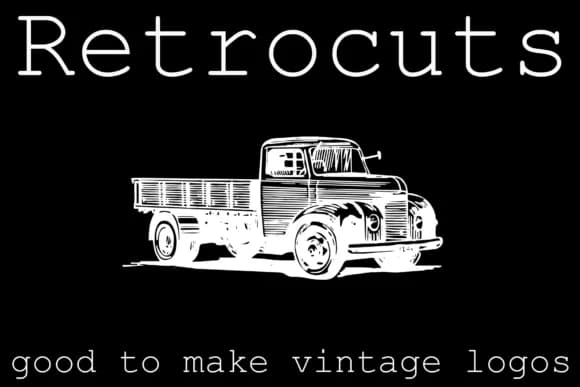
Retrocuts, designed by Intellecta Design, brings together ornamental cuts and dingbat symbols that recall the craft of traditional printing. These aren't generic flourishes, they're carefully curated marks with genuine typographic weight and real character built in.
Building a vintage branding system from scratch, designing retro restaurant menus, or creating hand-printed poster artwork all become sharper with this font's palette of cuts. The set works equally well for ornamental borders on greeting cards, art deco business cards, or adding decorative depth to boutique product packaging. Screen-printed t-shirt designs and vintage-inspired wedding signage also benefit from what this font brings to the table. Graphic designers working on packaging for vintage-inflected food or beverage brands will find the versatility especially useful.
What makes Retrocuts work is how it treats these cuts as functional design elements rather than mere decoration. The letterforms carry the weight of actual typographic tradition, not just the aesthetic window dressing. This approach makes it genuinely useful for projects where vintage authenticity matters and clients want the real thing, not a surface-level retro effect. Designers building 1950s-inflected brand identities or creating printed goods that demand character will find plenty here. You'll find it on Creative Fabrica.
Style & Use Cases
- Overall Style
- Iconographic, Dingbats
- Use Case
- Icons, Accents
- Ideal For
- ornaments, bullets, and decorative flourishes
- Pairs With
- any text font
How to Install Retrocuts Font
Step-by-step instructions for every platform
- 1Download the Retrocuts font file (.ttf or .otf).
- 2Locate the downloaded file in your Downloads folder.
- 3Right-click the font file.
- 4Select "Install" to install for the current user, or "Install for all users" to make it available system-wide.
- 5Retrocuts is now available in Word, Photoshop, Illustrator, and all other apps.
More by Intellecta Design
View all →
Browse fonts by theme
Curated collections →Saw a font in a picture? Identify any font from an image with our free Font Finder.
More Dingbats Fonts
Browse all →







What pairs well with Retrocuts Font?
Retrocuts Font is a versatile dingbats font that works for both headings and body text. Pair it with a contrasting sans-serif or serif font to add visual interest and a clear distinction between titles and body copy.



Retrocuts Font
Reviewed by the FontBoxDL team · Updated July 2026