 Firefox
 1 / 3
1 / 3Loading font…
About PlymouthPress Font
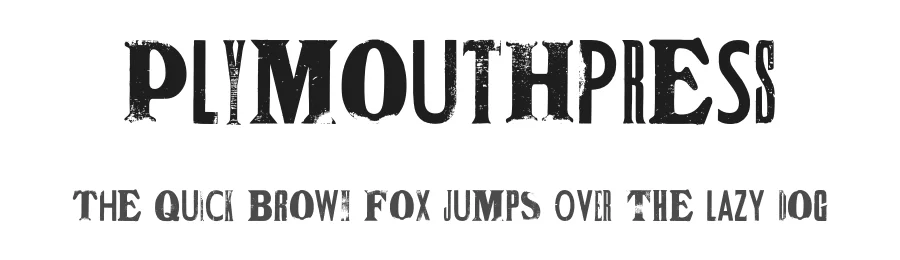
An experimental image font made using the University of Plymouth's unique letterpress workshop, developed by staff and students from the BA(Hons) Graphic Design course.
PlymouthPress uses bitmap images to render each glyph, meaning the textures present in the original prints have been retained, in a way that is not possible with traditional vector-based fonts.
The font employs OpenType scripting to automatically cycle through a range of alternate glyphs for each character, giving a random appearance as you type. Alternates can also be chosen manually in supported applications.
Find out more at jamesbrocklehurst.cloud/plymouthpress
Style & Use Cases
- Overall Style
- Bold, Distinctive, Fancy
- Use Case
- Headlines, Posters
- Ideal For
- logos, packaging, and standout titles
- Pairs With
- a neutral sans-serif
How to Install PlymouthPress Font
Step-by-step instructions for every platform
- 1Download the PlymouthPress font file (.ttf or .otf).
- 2Locate the downloaded file in your Downloads folder.
- 3Right-click the font file.
- 4Select "Install" to install for the current user, or "Install for all users" to make it available system-wide.
- 5PlymouthPress is now available in Word, Photoshop, Illustrator, and all other apps.
More by James Brocklehurst
View all →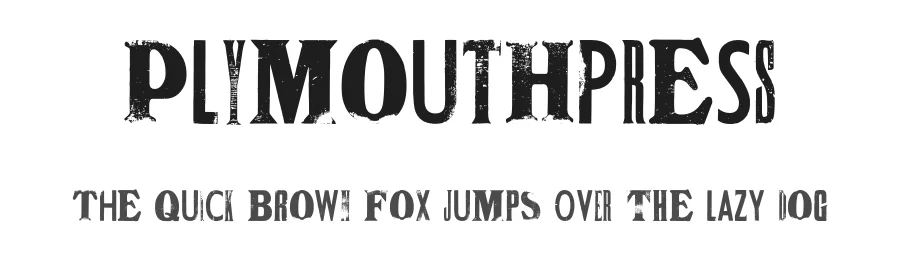
Browse fonts by theme
Curated collections →Saw a font in a picture? Identify any font from an image with our free Font Finder.
More Decorative Fonts
Browse all →







What pairs well with PlymouthPress Font?
PlymouthPress Font is a decorative font that shines as a display or heading face. Pair it with a clean sans-serif or serif font for body text — the contrast creates a clear hierarchy while the two styles stay balanced and easy to read.




Premium Decorative Fonts
★ PremiumWant something with more weights, glyphs, and commercial polish? These premium decorative fonts are worth a look.
PlymouthPress Font
Reviewed by the FontBoxDL team · Updated October 2026
License: Public domain / GPL / OFL