 Firefox
 1 / 8
1 / 8Loading font…
About Planner Notes Font
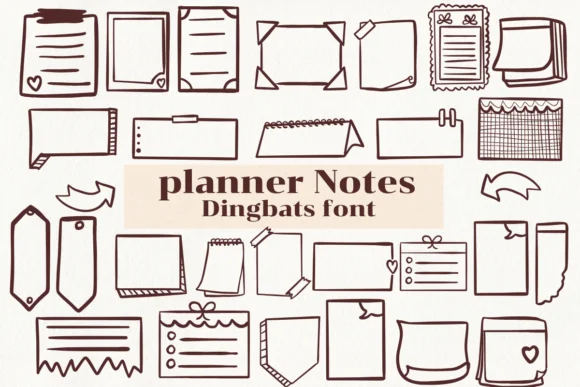
Planner Notes by Nongyao is a dingbat collection packed with practical icons that cut right to the point. Instead of generic decorative elements, you get playful renderings of sticky notes, pins, paperclips, checkboxes, clipboard indicators, and other symbols that actually belong in organizational workflows. Each glyph sits somewhere between sketch and final form, giving them enough personality to feel handmade without sacrificing clarity or legibility.
Multiple weights and comprehensive glyph coverage let you mix and match these elements across digital and print contexts. Bullet journal spreads benefit from visual variety without the weight of full typography, while productivity tracker templates need clear navigation markers that readers grasp instantly. Administrative checklists for small business workflows, classroom organization systems, or personal planner spreads all gain from functional symbols that communicate rather than decorate. Icons read clearly at small sizes while retaining character when enlarged.
This font works best for designers and organizers who need decoration that serves a purpose. Anyone building habit trackers, productivity planners, calendar templates, or organizational systems will recognize what each symbol communicates at a glance. The collection feels natural in both digital interfaces and printed workbooks. Grab it on Creative Fabrica and integrate these icons into your template workflows and design systems.
Style & Use Cases
- Overall Style
- Iconographic, Fonts
- Use Case
- Icons, Accents
- Ideal For
- ornaments, bullets, and decorative flourishes
- Pairs With
- any text font
How to Install Planner Notes Font
Step-by-step instructions for every platform
- 1Download the Planner Notes font file (.ttf or .otf).
- 2Locate the downloaded file in your Downloads folder.
- 3Right-click the font file.
- 4Select "Install" to install for the current user, or "Install for all users" to make it available system-wide.
- 5Planner Notes is now available in Word, Photoshop, Illustrator, and all other apps.




Browse fonts by theme
Curated collections →Saw a font in a picture? Identify any font from an image with our free Font Finder.
More Dingbats Fonts
Browse all →







What pairs well with Planner Notes Font?
Planner Notes Font is a versatile dingbats font that works for both headings and body text. Pair it with a contrasting sans-serif or serif font to add visual interest and a clear distinction between titles and body copy.




Planner Notes Font
by Nongyao
Reviewed by the FontBoxDL team · Updated October 2026