 Firefox
 1 / 4
1 / 4About Nature Boho Font
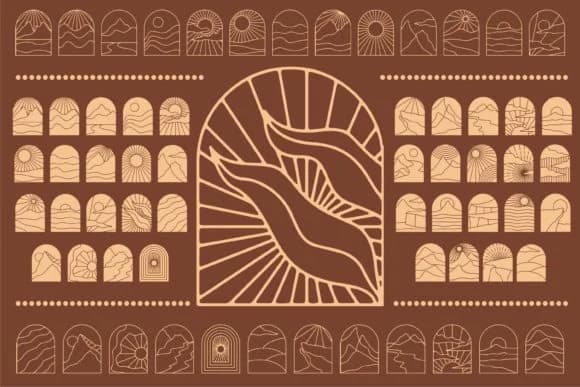
There's something grounding about botanical frames that feel handmade. Nature Boho, designed by edywiyonopp, is a dingbats collection built on exactly that impulse, layering natural scenery and organic silhouettes into border and corner ornaments. The frames work as standalone decorative elements or as layering pieces to add depth and context to simpler layouts. This handdrawn approach gives everything a personal, artisanal feel without requiring custom illustration work.
Wedding invitation suites and save-the-dates benefit from the bohemian vibe these frames bring, especially when you layer them with calligraphy or script fonts. Etsy sellers and makers find the dingbats useful for product label design, particularly for botanical skincare, herbal tea brands, or handmade cosmetics. Scrapbookers and journal designers can use the frames to section pages and highlight memorable moments. DIY craft projects, from paper goods to signage, gain dimension when you build frames from these nature-inspired glyphs instead of drawing them from scratch.
Pair Nature Boho with a clean, modern sans-serif for body copy or headlines to let the ornamental frames breathe. The contrast between the organic handdrawn quality and contemporary typography keeps designs from feeling heavy-handed. Pick it up on Creative Fabrica and add it to your resource library for projects that need a touch of organic, intentional design.
Style & Use Cases
- Overall Style
- Iconographic, Fonts
- Use Case
- Icons, Accents
- Ideal For
- ornaments, bullets, and decorative flourishes
- Pairs With
- any text font
How to Install Nature Boho Font
Step-by-step instructions for every platform
- 1Download the Nature Boho font file (.ttf or .otf).
- 2Locate the downloaded file in your Downloads folder.
- 3Right-click the font file.
- 4Select "Install" to install for the current user, or "Install for all users" to make it available system-wide.
- 5Nature Boho is now available in Word, Photoshop, Illustrator, and all other apps.
More by edywiyonopp
View all →

Browse fonts by theme
Curated collections →Saw a font in a picture? Identify any font from an image with our free Font Finder.
More Dingbats Fonts
Browse all →







What pairs well with Nature Boho Font?
Nature Boho Font is a versatile dingbats font that works for both headings and body text. Pair it with a contrasting sans-serif or serif font to add visual interest and a clear distinction between titles and body copy.



Nature Boho Font
by edywiyonopp
Reviewed by the FontBoxDL team · Updated July 2026