 Firefox
 1 / 5
1 / 5About Lunéa Amoria Font
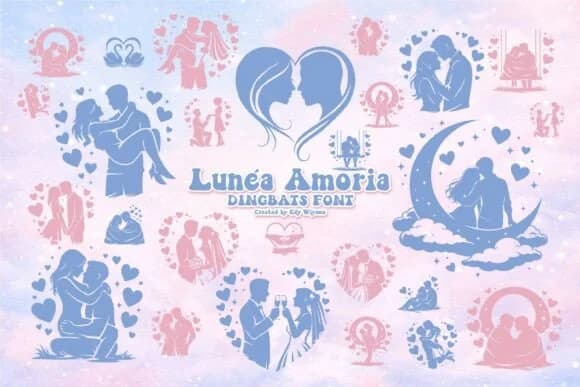
Lunéa Amoria by edywiyonopp is a romantic dingbat collection built on the simple idea that love symbols should feel handcrafted, not mass-produced. Inside you'll find silhouettes of couples in tender poses, hearts in graduated sizes, moonlit landscape vignettes, and botanical flourishes all drawn with a soft, deliberate hand. The collection avoids clichés by walking a careful line between whimsy and restraint, never veering into saccharine territory or oversized emotion.
These vector-based glyphs perform brilliantly across scales without any pixelation or loss of fine detail. Enlarge them for wedding invitation suites, save-the-date cards, and bridal shower announcements, then shrink them down for delicate Valentine's greeting cards and anniversary gift tags. Sticker designers frequently turn the couple silhouettes into custom artwork for Etsy product listings, while photographers layer the softer glyphs as overlays on engagement photography. Wood sign makers and engravers appreciate how crisply the marks render, whether burned or etched into material.
The minimal sensibility of the collection means these accents enhance rather than compete with your typography. Pairing any glyph with a crisp serif or an airy script creates layouts that feel curated, balanced, and thoroughly intentional. Grab Lunéa Amoria on Creative Fabrica and bring these hand-drawn, carefully crafted symbols into your next romantic project.
Style & Use Cases
- Overall Style
- Iconographic, Romantic Dingbats Font
- Use Case
- Icons, Accents
- Ideal For
- ornaments, bullets, and decorative flourishes
- Pairs With
- any text font
How to Install Lunéa Amoria Font
Step-by-step instructions for every platform
- 1Download the Lunéa Amoria font file (.ttf or .otf).
- 2Locate the downloaded file in your Downloads folder.
- 3Right-click the font file.
- 4Select "Install" to install for the current user, or "Install for all users" to make it available system-wide.
- 5Lunéa Amoria is now available in Word, Photoshop, Illustrator, and all other apps.
More by edywiyonopp
View all →
Browse fonts by theme
Curated collections →Saw a font in a picture? Identify any font from an image with our free Font Finder.
More Dingbats Fonts
Browse all →







What pairs well with Lunéa Amoria Font?
Lunéa Amoria Font is a versatile dingbats font that works for both headings and body text. Pair it with a contrasting sans-serif or serif font to add visual interest and a clear distinction between titles and body copy.



Lunéa Amoria Font
by edywiyonopp
Reviewed by the FontBoxDL team · Updated July 2026