 Firefox
 1 / 6
1 / 6About Lucilo Font
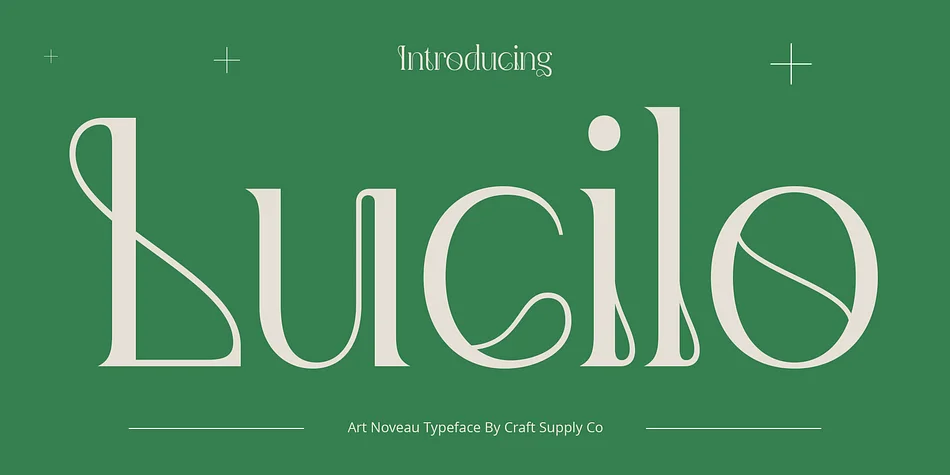
Picture yourself designing a wedding invitation suite, where letterpress elegance meets modern typography, and you need something with 1920s glamour. Lucilo, created by Craft Supply Co., is a decorative typeface that channels Art Nouveau's flowing sensibility: think botanical flourishes, architectural curves, and an ornamental character that feels intentional rather than applied on top.
The typeface excels in contexts where decorative weight carries real purpose. Wedding stationery and formal invitation suites use its flowing strokes and delicate serifs to signal craftsmanship and heritage. Boutique skincare and cosmetics packaging often lean on Lucilo to communicate luxury and artisanal quality, while independent Etsy sellers apply it to vintage-style tea labels, hand-poured candle packaging, and apothecary jar designs. Brand identities in the high-end goods space frequently reserve it for logotypes where historical depth reads as established credibility rather than nostalgia. The design's intricate detail work means it shines brightest at large sizes in headlines and signage, though the ornamental letterforms demand breathing room and work best as display typography. That richness of detail is precisely what makes it such a valuable asset for projects needing visual weight and personality.
Grab Lucilo on Creative Fabrica and bring that Art Nouveau sensibility to your designs.
Style & Use Cases
- Overall Style
- Bold, Distinctive
- Use Case
- Headlines, Posters
- Ideal For
- logos, packaging, and standout titles
- Pairs With
- a neutral sans-serif
How to Install Lucilo Font
Step-by-step instructions for every platform
- 1Download the Lucilo font file (.ttf or .otf).
- 2Locate the downloaded file in your Downloads folder.
- 3Right-click the font file.
- 4Select "Install" to install for the current user, or "Install for all users" to make it available system-wide.
- 5Lucilo is now available in Word, Photoshop, Illustrator, and all other apps.
More by Craft Supply Co.
View all →
Browse fonts by theme
Curated collections →Saw a font in a picture? Identify any font from an image with our free Font Finder.
More Decorative Fonts
Browse all →







What pairs well with Lucilo Font?
Lucilo Font is a decorative font that shines as a display or heading face. Pair it with a clean sans-serif or serif font for body text — the contrast creates a clear hierarchy while the two styles stay balanced and easy to read.




Lucilo Font
Reviewed by the FontBoxDL team · Updated June 2026