 Firefox
 1 / 10
About Loyola Soft Font
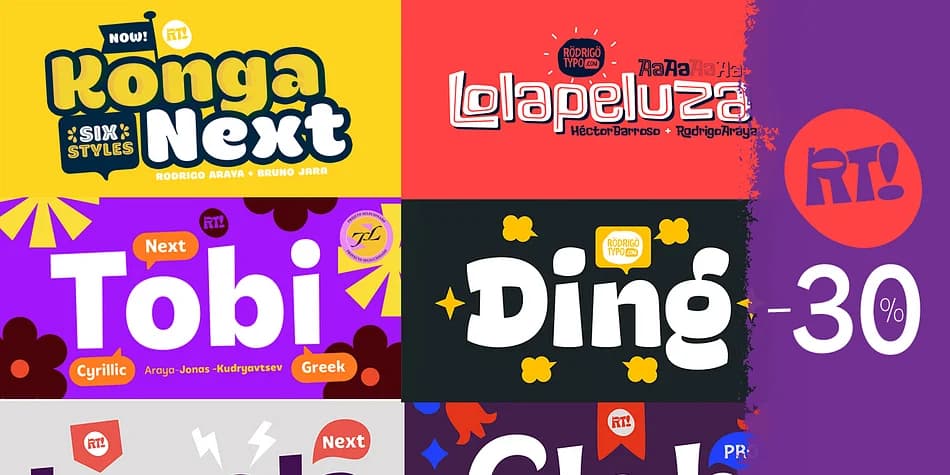
Loyola Soft by Rodrigo Typo is a decorative typeface that delivers genuine flexibility without sacrificing strong visual personality. The 14 variants included allow you to shift both weight and style across a single composition without hunting for a backup typeface to match the mood you're pursuing. This breadth matters in real client work, especially when hierarchy or emphasis needs to shift late in the design cycle or when stakeholders change direction unexpectedly. Cyrillic support also keeps Eastern European markets, Russian-language campaigns, and other multilingual projects within comfortable reach, broadening where you can confidently deploy this typeface.
Wine bottle labels, bookplate designs, and wedding invitation suites benefit from this typeface's balance between personality and actual legibility. Small batch artisan packaging is another natural fit, where a distinctive look matters as much as readability at smaller sizes. Handcrafted brand identity systems work equally well. The multiple weights let you create visual drama by layering heavier cuts against lighter letterforms, or build a unified design system around one typeface family and stop hunting for backup fonts every time the creative direction shifts.
Find Loyola Soft on Creative Fabrica and see what range this typeface brings to your next project.
Style & Use Cases
- Overall Style
- Bold, Distinctive
- Use Case
- Headlines, Posters
- Ideal For
- logos, packaging, and standout titles
- Pairs With
- a neutral sans-serif
How to Install Loyola Soft Font
Step-by-step instructions for every platform
- 1Download the Loyola Soft font file (.ttf or .otf).
- 2Locate the downloaded file in your Downloads folder.
- 3Right-click the font file.
- 4Select "Install" to install for the current user, or "Install for all users" to make it available system-wide.
- 5Loyola Soft is now available in Word, Photoshop, Illustrator, and all other apps.
More by Rodrigo Typo
View all →
Browse fonts by theme
Curated collections →Saw a font in a picture? Identify any font from an image with our free Font Finder.
More Decorative Fonts
Browse all →







What pairs well with Loyola Soft Font?
Loyola Soft Font is a decorative font that shines as a display or heading face. Pair it with a clean sans-serif or serif font for body text — the contrast creates a clear hierarchy while the two styles stay balanced and easy to read.



Loyola Soft Font
by Rodrigo Typo
Reviewed by the FontBoxDL team · Updated July 2026