 Firefox
 1 / 8
1 / 8About Looking Sharp Font
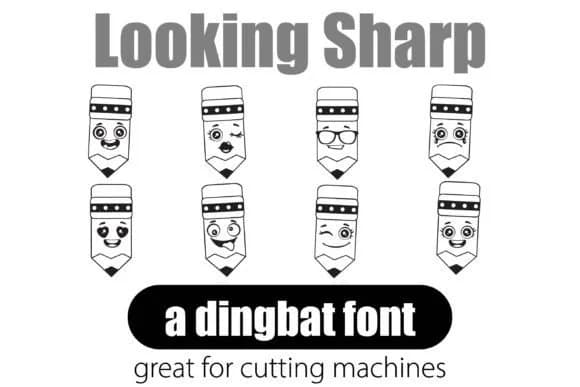
You're laying out worksheets for your classroom or designing educational materials for a tutoring business. Looking Sharp, designed by Illustration Ink, is a dingbat font built around 26 pencil-based symbols, letting you add visual interest without hunting through graphic libraries or drawing tools.
Unlike sourcing individual illustrations or piecing together graphics from different sources, dingbat fonts let you type your visuals directly into your designs. This workflow means you can easily adjust sizing, swap colors, and keep the whole project in one cohesive typeface. Looking Sharp works beautifully in teacher worksheets and answer keys, back-to-school activity booklets, classroom organization labels, and educational planner designs for students. The symbols remain clean and legible at small print sizes while still reading with personality when scaled up for posters or presentation slides.
Because the symbols are typed rather than pasted as images, you maintain full control over spacing and alignment within your layout. That kind of flexibility is invaluable when moving between document types or iterating on designs quickly. The font is available on Creative Fabrica, ready to grab whenever your next school or education project needs these functional, straightforward icons.
Style & Use Cases
- Overall Style
- Iconographic, Dingbat
- Use Case
- Icons, Accents
- Ideal For
- ornaments, bullets, and decorative flourishes
- Pairs With
- any text font
How to Install Looking Sharp Font
Step-by-step instructions for every platform
- 1Download the Looking Sharp font file (.ttf or .otf).
- 2Locate the downloaded file in your Downloads folder.
- 3Right-click the font file.
- 4Select "Install" to install for the current user, or "Install for all users" to make it available system-wide.
- 5Looking Sharp is now available in Word, Photoshop, Illustrator, and all other apps.
More by Illustration Ink
View all →



Browse fonts by theme
Curated collections →Saw a font in a picture? Identify any font from an image with our free Font Finder.
More Dingbats Fonts
Browse all →







What pairs well with Looking Sharp Font?
Looking Sharp Font is a versatile dingbats font that works for both headings and body text. Pair it with a contrasting sans-serif or serif font to add visual interest and a clear distinction between titles and body copy.



Looking Sharp Font
Reviewed by the FontBoxDL team · Updated June 2026