 Firefox
 1 / 8
1 / 8About Linoblox linocut sans font
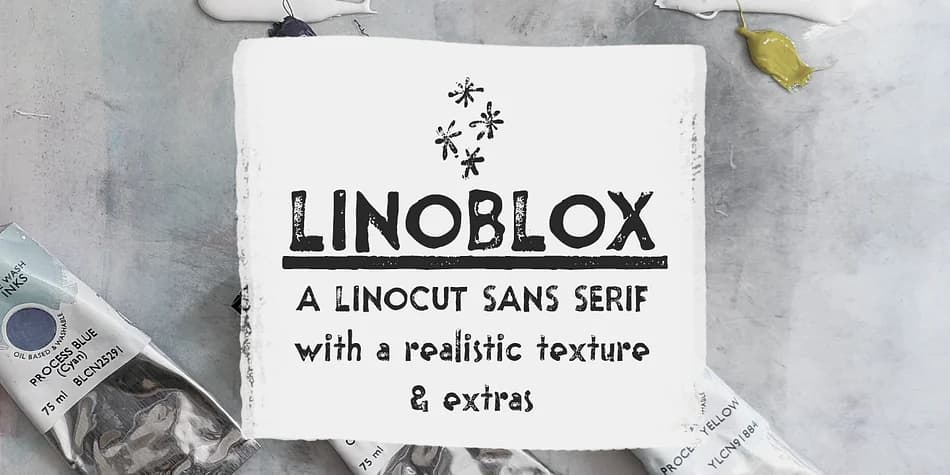
Linoblox, created by Ana's Fonts, replicates the distinctive look of characters carved into linoleum and pressed by hand onto paper. The design captures authentic imperfections: slight variations in weight, irregular edges, and a texture that suggests real ink and physical printing. Every letterform feels tactile and genuine, bringing that artisanal handmade quality that most digital typefaces can't achieve.
This sans-serif and ornamental collection excels at vintage poster designs, stamped product labels, and retro branding that requires genuine character. The carved aesthetic pairs well with DIY craft packaging, mixed-media collages, and social media graphics where the imperfect quality adds visual warmth. Rooted in Ana's Bloxhall art deco typeface, Linoblox brings its own unpretentious charm and works across a range of nostalgic design applications.
The package includes three variations of the font (regular, jumpy, and underlined) plus a full ornamental companion with all the decorative doodles, swashes, smudges, and frames. You also get fifteen pre-made lino texture files in both PNG and ABR formats, so you can layer realistic printed effects into your work without sourcing textures elsewhere. Designers working on vintage branding projects, small-batch packaging, or any handmade-aesthetic work will find immediate value in these tools. Grab Linoblox on Creative Fabrica.
Style & Use Cases
- Overall Style
- Iconographic
- Use Case
- Icons, Accents
- Ideal For
- ornaments, bullets, and decorative flourishes
- Pairs With
- any text font
How to Install Linoblox linocut sans font Font
Step-by-step instructions for every platform
- 1Download the Linoblox linocut sans font font file (.ttf or .otf).
- 2Locate the downloaded file in your Downloads folder.
- 3Right-click the font file.
- 4Select "Install" to install for the current user, or "Install for all users" to make it available system-wide.
- 5Linoblox linocut sans font is now available in Word, Photoshop, Illustrator, and all other apps.
More by Ana's Fonts
View all →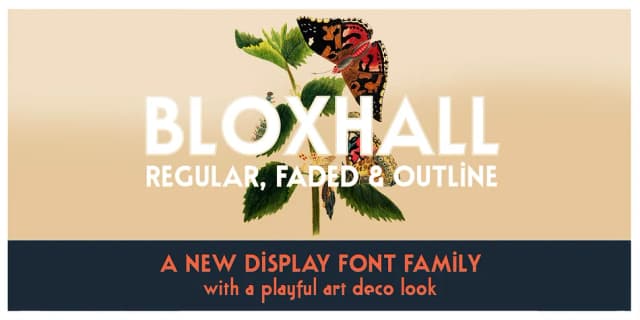
Browse fonts by theme
Curated collections →Saw a font in a picture? Identify any font from an image with our free Font Finder.
More Dingbats Fonts
Browse all →







What pairs well with Linoblox linocut sans font?
Linoblox linocut sans font is a versatile dingbats font that works for both headings and body text. Pair it with a contrasting sans-serif or serif font to add visual interest and a clear distinction between titles and body copy.



Linoblox linocut sans font
by Ana's Fonts
Reviewed by the FontBoxDL team · Updated August 2026