 Firefox
 1 / 5
1 / 5About Leaves Garden Font
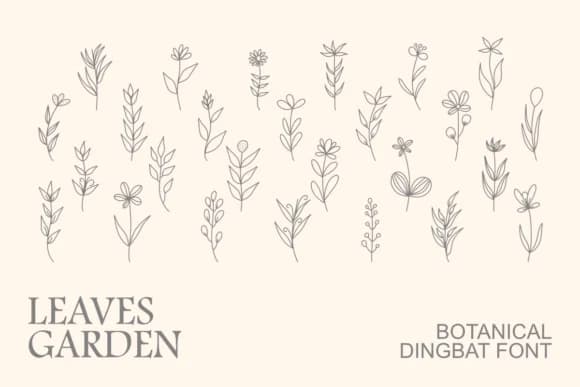
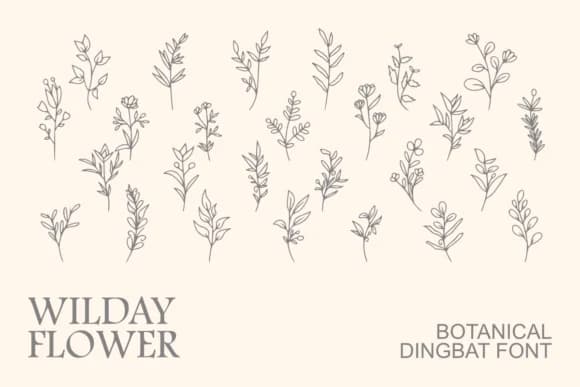
Leaves Garden by Intype Studio is a hand-drawn dingbat collection that builds around organic foliage, branches, wildflowers, and botanical stems. The line work has a sketched, natural quality that feels like you're working with real botanical illustrations rather than rigid vector shapes. Each character maintains that delicate handmade look across the entire character set, with no two elements feeling identical.
You'll find this collection works particularly well for wedding invitation suites where couples want botanical accents without heavy florals overwhelming the text. Sticker sheets for planners and journals benefit from the organic aesthetic, giving those spreads a genuine craft feel that readers respond to instinctively. Natural product packaging (think herbs, tea, or skincare lines) pairs beautifully with these marks, while vinyl designs for tumblers and drinkware gain real visual interest from the varied stems and leaf shapes. The hand-drawn quality keeps everything feeling fresh across all seasons, so spring plantings, summer gardens, autumn harvests, and winter evergreens each find their place in your designs without feeling forced or dated.
The font comes in OTF format, making it straightforward to integrate into your design programs. Pick up Leaves Garden from Creative Fabrica and add these botanical elements to your next project or collection.
Style & Use Cases
- Overall Style
- Iconographic, Botanical
- Use Case
- Icons, Accents
- Ideal For
- ornaments, bullets, and decorative flourishes
- Pairs With
- any text font
How to Install Leaves Garden Font
Step-by-step instructions for every platform
- 1Download the Leaves Garden font file (.ttf or .otf).
- 2Locate the downloaded file in your Downloads folder.
- 3Right-click the font file.
- 4Select "Install" to install for the current user, or "Install for all users" to make it available system-wide.
- 5Leaves Garden is now available in Word, Photoshop, Illustrator, and all other apps.
More by Intype Studio
View all →
Browse fonts by theme
Curated collections →Saw a font in a picture? Identify any font from an image with our free Font Finder.
More Dingbats Fonts
Browse all →







What pairs well with Leaves Garden Font?
Leaves Garden Font is a versatile dingbats font that works for both headings and body text. Pair it with a contrasting sans-serif or serif font to add visual interest and a clear distinction between titles and body copy.



Leaves Garden Font
Reviewed by the FontBoxDL team · Updated July 2026