 Firefox
 1 / 10
About Konga Next Font
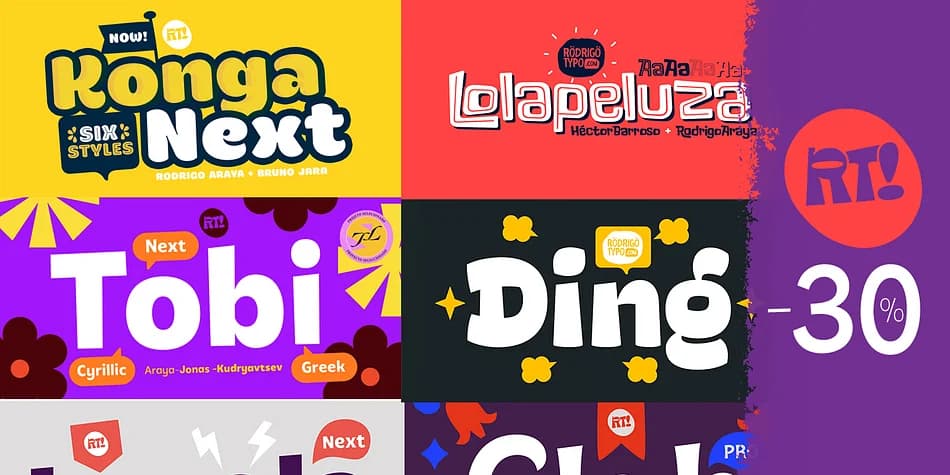
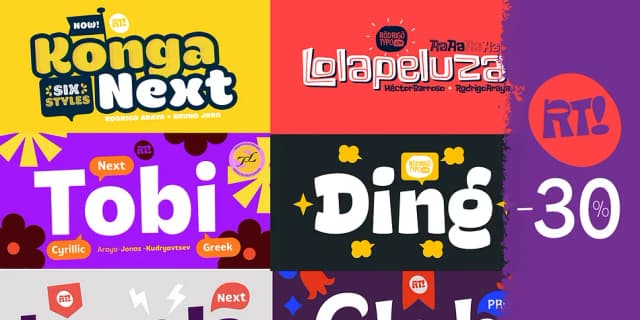
Konga Next by Rodrigo Typo is a playful dingbat collection that blends hand-drawn charm with versatile styling options. Born from a 2014 concept initially developed with Andrey Kudryavtsev and later refined through a complete redesign in 2022 with Bruno Jara, this typeface family carries the collaborative spirit of its makers. Stefania Ahumada's graphic illustrations form the foundation of the entire dingbat set, giving each symbol its own distinctive personality. Six distinct and expressive styles in total (Rough, Inline, and Shadow included) with multiple alternates means you can shift the mood and tone without swapping fonts entirely.
This collection shines in icon sets for indie brand packaging, custom sticker design, and greeting card embellishments. Use it to add personality to social media graphics, poster layouts, or anywhere you need decorative accents that feel handmade rather than templated. The informal character fits especially well in DIY craft projects and labels where the rough edges and warmth read as intentional design choices. Building a cohesive visual language for a small business or adding playful flourishes to personal creative projects both benefit from how adaptable these dingbats are to different contexts and moods.
Pick up Konga Next on Creative Fabrica and start building something with real character.
Style & Use Cases
- Overall Style
- Iconographic
- Use Case
- Icons, Accents
- Ideal For
- ornaments, bullets, and decorative flourishes
- Pairs With
- any text font
How to Install Konga Next Font
Step-by-step instructions for every platform
- 1Download the Konga Next font file (.ttf or .otf).
- 2Locate the downloaded file in your Downloads folder.
- 3Right-click the font file.
- 4Select "Install" to install for the current user, or "Install for all users" to make it available system-wide.
- 5Konga Next is now available in Word, Photoshop, Illustrator, and all other apps.
More by Rodrigo Typo
View all →
Browse fonts by theme
Curated collections →Saw a font in a picture? Identify any font from an image with our free Font Finder.
More Dingbats Fonts
Browse all →







What pairs well with Konga Next Font?
Konga Next Font is a versatile dingbats font that works for both headings and body text. Pair it with a contrasting sans-serif or serif font to add visual interest and a clear distinction between titles and body copy.



Konga Next Font
by Rodrigo Typo
Reviewed by the FontBoxDL team · Updated August 2026