Firefox
 1 / 3
1 / 3Loading font…
About Katakana Font
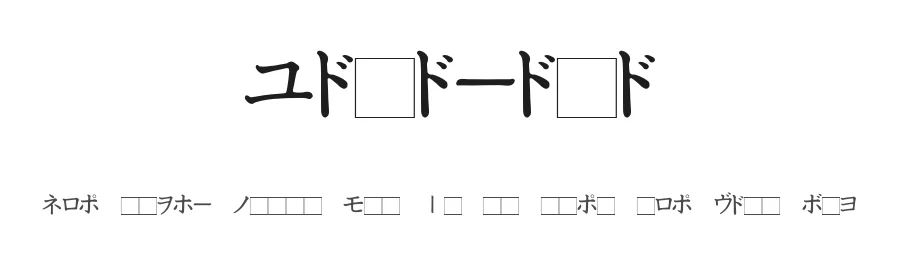
Katakana, designed by Nagumo, is a dingbats typeface offering 76 decorative symbols and glyphs with distinctly Asian visual roots. Rather than traditional letterforms, this medium-weight collection provides icon-like characters that blend ornamental design with cultural typographic elements, creating a rich visual language for projects seeking authentic symbolic representation and visual depth.
Designers working on Japanese-themed branding, Asian cultural publications, heritage-focused web elements, or print collateral will find this font particularly valuable and engaging. Specific applications include creating embellishments for packaging design and product labels, building custom icon sets for Asian-language mobile applications, adding decorative flourishes to event posters and wedding invitations, and designing ornamental borders and dividers for social media graphics. The glyph set's specialized focus makes it an excellent choice for projects requiring visually cohesive and culturally informed aesthetics, whether in traditional print or digital formats. Each symbol serves as a meaningful design element, allowing creators to layer visual interest and cultural resonance into their work through carefully positioned decorative components rather than readable text.
The font is available as a free download from this page, with licence terms specified there; do not claim commercial rights. Katakana works best for design projects where decorative elements and symbolic representation take clear precedence over traditional typography.
Style & Use Cases
- Overall Style
- Iconographic, Dingbats
- Use Case
- Icons, Accents
- Ideal For
- ornaments, bullets, and decorative flourishes
- Pairs With
- any text font
Katakana Specifications
| Font Family | Katakana |
| Style | Medium |
| Full Name | Katakana |
| Version | 1.00 |
| Weight | 500 (Medium) |
| Glyph Count | 76 glyphs |
| PostScript Name | Katakana |
| Format | TTF (TrueType) |
| File Size | 24.2 KB |
How to Install Katakana Font
Step-by-step instructions for every platform
- 1Download the Katakana font file (.ttf or .otf).
- 2Locate the downloaded file in your Downloads folder.
- 3Right-click the font file.
- 4Select "Install" to install for the current user, or "Install for all users" to make it available system-wide.
- 5Katakana is now available in Word, Photoshop, Illustrator, and all other apps.
More by Nagumo
View all →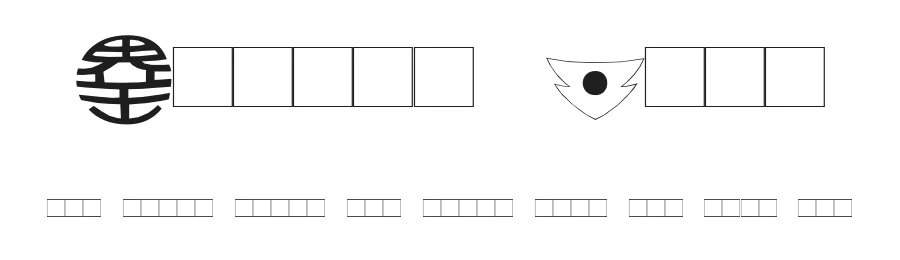
Browse fonts by theme
Curated collections →Saw a font in a picture? Identify any font from an image with our free Font Finder.
More Dingbats Fonts
Browse all →







What pairs well with Katakana Font?
Katakana Font is a versatile dingbats font that works for both headings and body text. Pair it with a contrasting sans-serif or serif font to add visual interest and a clear distinction between titles and body copy.




Premium Dingbats Fonts
★ PremiumWant something with more weights, glyphs, and commercial polish? These premium dingbats fonts are worth a look.