 Firefox
 1 / 5
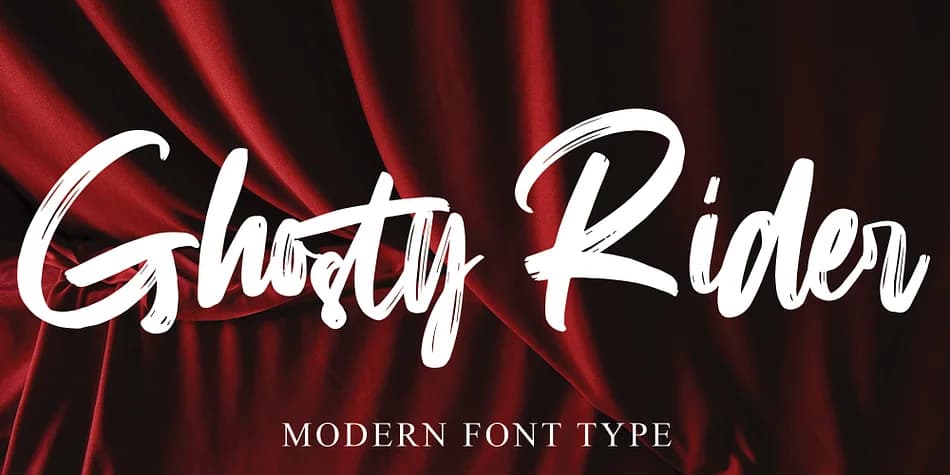
1 / 5About Ghosty Rider Font
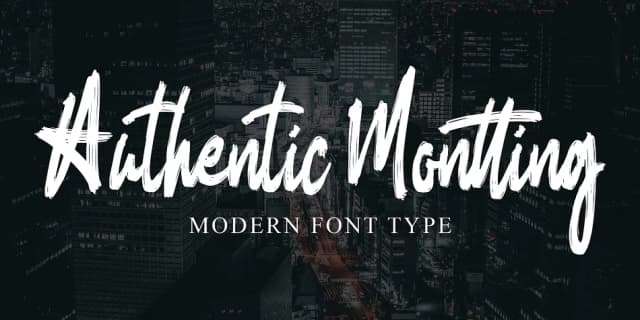
Ghosty Rider by Ayska is a handwritten script that carries real personality without sacrificing legibility. The letterforms have that authentic drawn-by-hand quality, but the curves and spacing stay controlled enough to work across different contexts and sizes.
This script shines in wedding invitation suites, where it brings genuine warmth to formal stationery. It's equally at home on personalized greeting cards, Etsy product labels, event signage, and packaging for small makers who care about handmade aesthetics. The hand-drawn character works across design approaches too. Pair it with minimal layouts for a modern, approachable feel, or combine it with ornate elements and flourishes for something richer. Social media graphics, personalized journals, and product branding all benefit from how this script carries intentional character without looking overwrought.
What makes Ghosty Rider useful is that balance between distinctive personality and practical functionality. The letterforms maintain enough consistency that longer passages stay readable, so it works both as display text and in smaller sizes. That versatility separates this from scripts that look beautiful as headlines but become difficult in real-world application.
Grab Ghosty Rider on Creative Fabrica and bring authentic handmade character to your next project.
Style & Use Cases
- Overall Style
- Elegant, Flowing
- Use Case
- Invitations, Branding
- Ideal For
- wedding stationery, greeting cards, and signatures
- Pairs With
- a simple uppercase sans
How to Install Ghosty Rider Font
Step-by-step instructions for every platform
- 1Download the Ghosty Rider font file (.ttf or .otf).
- 2Locate the downloaded file in your Downloads folder.
- 3Right-click the font file.
- 4Select "Install" to install for the current user, or "Install for all users" to make it available system-wide.
- 5Ghosty Rider is now available in Word, Photoshop, Illustrator, and all other apps.
Browse fonts by theme
Curated collections →Saw a font in a picture? Identify any font from an image with our free Font Finder.
More Script Handwritten Fonts
Browse all →







What pairs well with Ghosty Rider Font?
Ghosty Rider Font is a script font that shines as a display or heading face. Pair it with a clean sans-serif or serif font for body text — the contrast creates a clear hierarchy while the two styles stay balanced and easy to read.



Ghosty Rider Font
by Ayska
Reviewed by the FontBoxDL team · Updated July 2026