 Firefox
 1 / 6
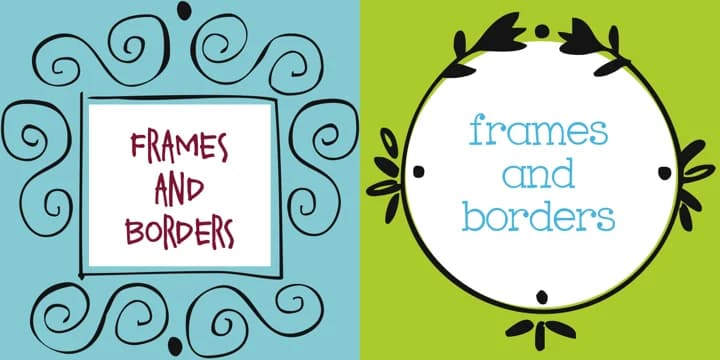
1 / 6About Frames and Borders Font
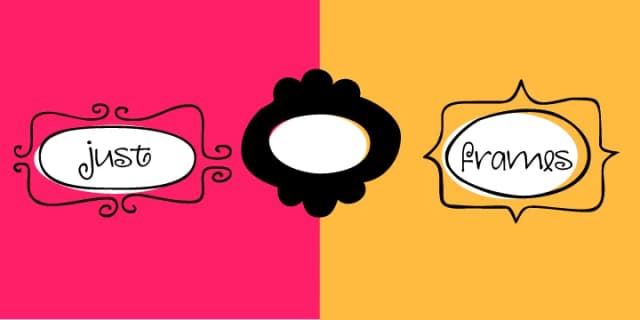
This is pure ornamentation, restrained and classically poised. Frames and Borders, designed by Outside the Line, is a decorative font built entirely from 32 distinct frames, borders, and flourishes. You get squares, rectangles, circles, and ovals alongside curly swash letters, vine motifs, flowers, and dotted swirls, each available in outline and solid reverse versions. The design leans into classical proportion and balance, making every element feel intentional rather than overcrowded.
Best at large sizes (72 points and up), the font shines for wedding invitation suites, vintage certificate designs, scrapbooking layouts, and DIY menu card borders. The modular frame approach means you can stack and layer these elements to create intricate borders around text or use individual flourishes as decorative anchors. This font rewards experimentation, especially if you're working on formal stationery or hand-lettered art projects where detail matters. Layer the reverse versions over the outlines for depth, or run them solo for a more delicate effect.
Pair it with a clean, minimal serif or sans-serif for any body text, letting this font handle all the decorative framing work while keeping the typography readable. It's the kind of supporting player that deserves to shine. Get it on Creative Fabrica and start designing.
Style & Use Cases
- Overall Style
- Iconographic
- Use Case
- Icons, Accents
- Ideal For
- ornaments, bullets, and decorative flourishes
- Pairs With
- any text font
How to Install Frames and Borders Font
Step-by-step instructions for every platform
- 1Download the Frames and Borders font file (.ttf or .otf).
- 2Locate the downloaded file in your Downloads folder.
- 3Right-click the font file.
- 4Select "Install" to install for the current user, or "Install for all users" to make it available system-wide.
- 5Frames and Borders is now available in Word, Photoshop, Illustrator, and all other apps.
More by Outside the Line
View all →

Browse fonts by theme
Curated collections →Saw a font in a picture? Identify any font from an image with our free Font Finder.
More Dingbats Fonts
Browse all →







What pairs well with Frames and Borders Font?
Frames and Borders Font is a versatile dingbats font that works for both headings and body text. Pair it with a contrasting sans-serif or serif font to add visual interest and a clear distinction between titles and body copy.



Frames and Borders Font
Reviewed by the FontBoxDL team · Updated August 2026