 Firefox
 1 / 5
1 / 5About Framerly Font
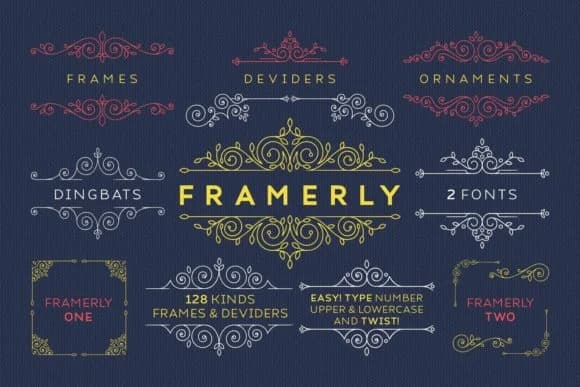
You're designing a wedding invitation suite and realize the perfect frame could tie the whole visual story together. Framerly, created by Kelik of 7NTypes, is a dingbats font built specifically for that kind of decorative moment: a complete collection of frames that feel both visually cohesive and genuinely versatile across different projects and mediums.
The font ships with two distinct versions, giving you different frame treatments to pull from depending on your mood and the specific job at hand. You can mix versions within a single project for visual variation without that disjointed, mismatched feeling. It works brilliantly for wedding invitation suites, scrapbooking layouts, greeting card borders, custom label designs, and sticker sheets where ornamental framing becomes the structural anchor of your composition. The frames maintain their character and presence across scales, from delicate gift tags to large certificates and event posters without any loss of visual impact.
Both versions preserve their weight and clarity no matter the size, so a tiny tag feels as intentional as an oversized design element. You're not compromising on crispness or detail when scaling up or down the frames. Grab Framerly from Creative Fabrica and build decorated pieces that feel polished and deliberately composed.
Style & Use Cases
- Overall Style
- Iconographic
- Use Case
- Icons, Accents
- Ideal For
- ornaments, bullets, and decorative flourishes
- Pairs With
- any text font
How to Install Framerly Font
Step-by-step instructions for every platform
- 1Download the Framerly font file (.ttf or .otf).
- 2Locate the downloaded file in your Downloads folder.
- 3Right-click the font file.
- 4Select "Install" to install for the current user, or "Install for all users" to make it available system-wide.
- 5Framerly is now available in Word, Photoshop, Illustrator, and all other apps.
More by Kelik - 7NTypes
View all →

Browse fonts by theme
Curated collections →Saw a font in a picture? Identify any font from an image with our free Font Finder.
More Dingbats Fonts
Browse all →







What pairs well with Framerly Font?
Framerly Font is a versatile dingbats font that works for both headings and body text. Pair it with a contrasting sans-serif or serif font to add visual interest and a clear distinction between titles and body copy.



Framerly Font
Reviewed by the FontBoxDL team · Updated June 2026