 Firefox
 1 / 4
1 / 4About Framed Font
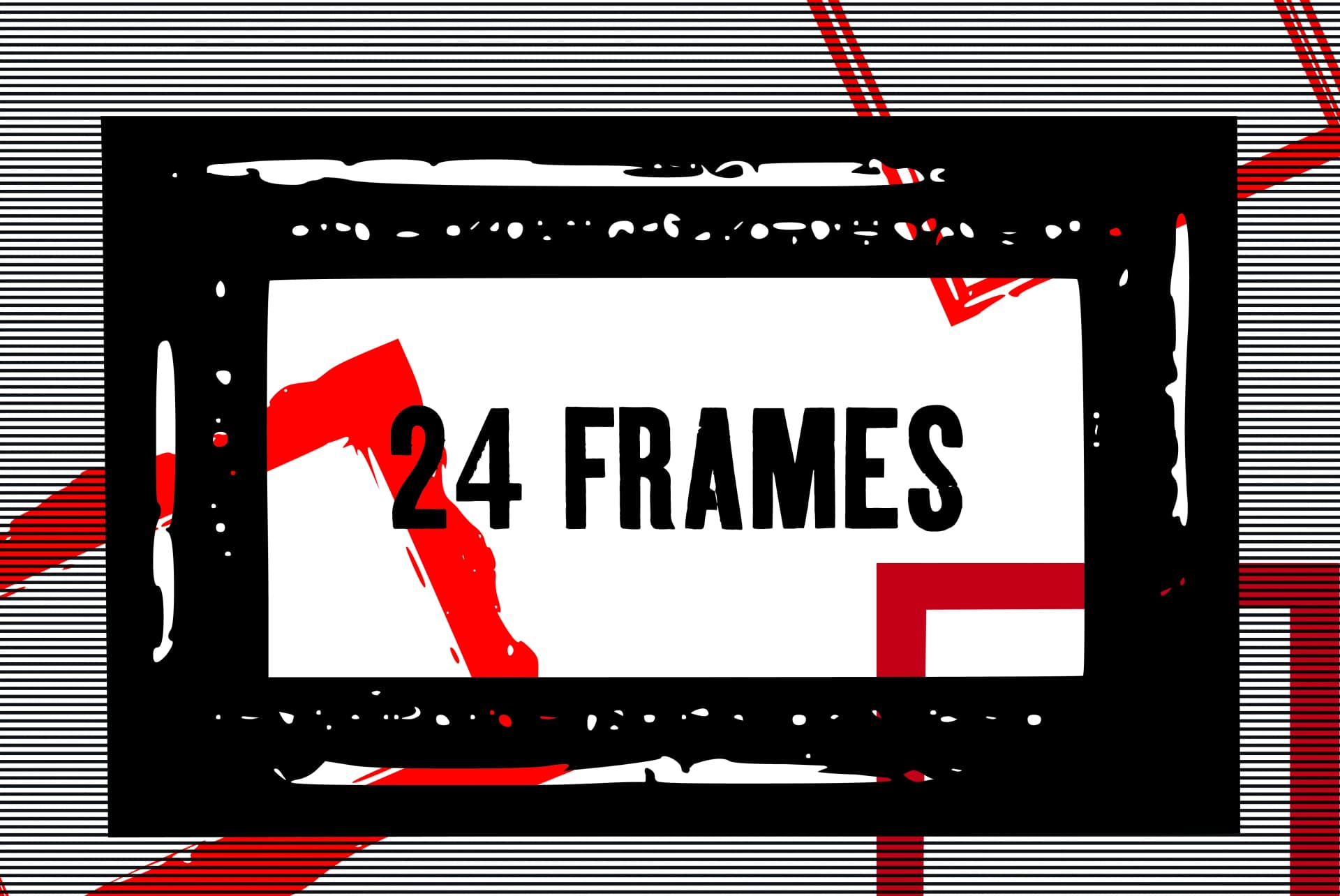
Framed by GraphicsBam Fonts is a hand-drawn dingbat collection featuring decorative frames in both portrait and landscape orientations. The styles range from organic and loose to more structured shapes, each retaining a hand-drawn quality that feels personal rather than templated. Pair them with photos, illustrations, or other graphic elements to create unlimited layout possibilities. Mix and match different frame styles across a project to build cohesive visual schemes, or nest them for layered depth and genuine compositional interest.
This font works especially well on family photo posters printed at large scale, canvas gallery walls for home spaces, and small-batch custom mugs or keychains with full-color printing. You can also use the frames for print-on-demand product packaging and labels, DIY gift boxes, or scrapbooking layouts where you need strong visual anchors. Each design retains character without feeling busy or overwrought, so the frames layer beautifully over images or stand independently when you want breathing room in your work.
The collection delivers the visual richness and personality of real frames without the cost or practical headaches of wooden, glass, or plastic alternatives that would require storage space. Download it from Creative Fabrica and start combining these with your own photography and artwork.
Style & Use Cases
- Overall Style
- Iconographic, Frames
- Use Case
- Icons, Accents
- Ideal For
- ornaments, bullets, and decorative flourishes
- Pairs With
- any text font
How to Install Framed Font
Step-by-step instructions for every platform
- 1Download the Framed font file (.ttf or .otf).
- 2Locate the downloaded file in your Downloads folder.
- 3Right-click the font file.
- 4Select "Install" to install for the current user, or "Install for all users" to make it available system-wide.
- 5Framed is now available in Word, Photoshop, Illustrator, and all other apps.
More by GraphicsBam Fonts
View all →
Browse fonts by theme
Curated collections →Saw a font in a picture? Identify any font from an image with our free Font Finder.
More Dingbats Fonts
Browse all →







What pairs well with Framed Font?
Framed Font is a versatile dingbats font that works for both headings and body text. Pair it with a contrasting sans-serif or serif font to add visual interest and a clear distinction between titles and body copy.



Framed Font
Reviewed by the FontBoxDL team · Updated July 2026