 Firefox
 1 / 3
1 / 3About Floral Dingbat Font
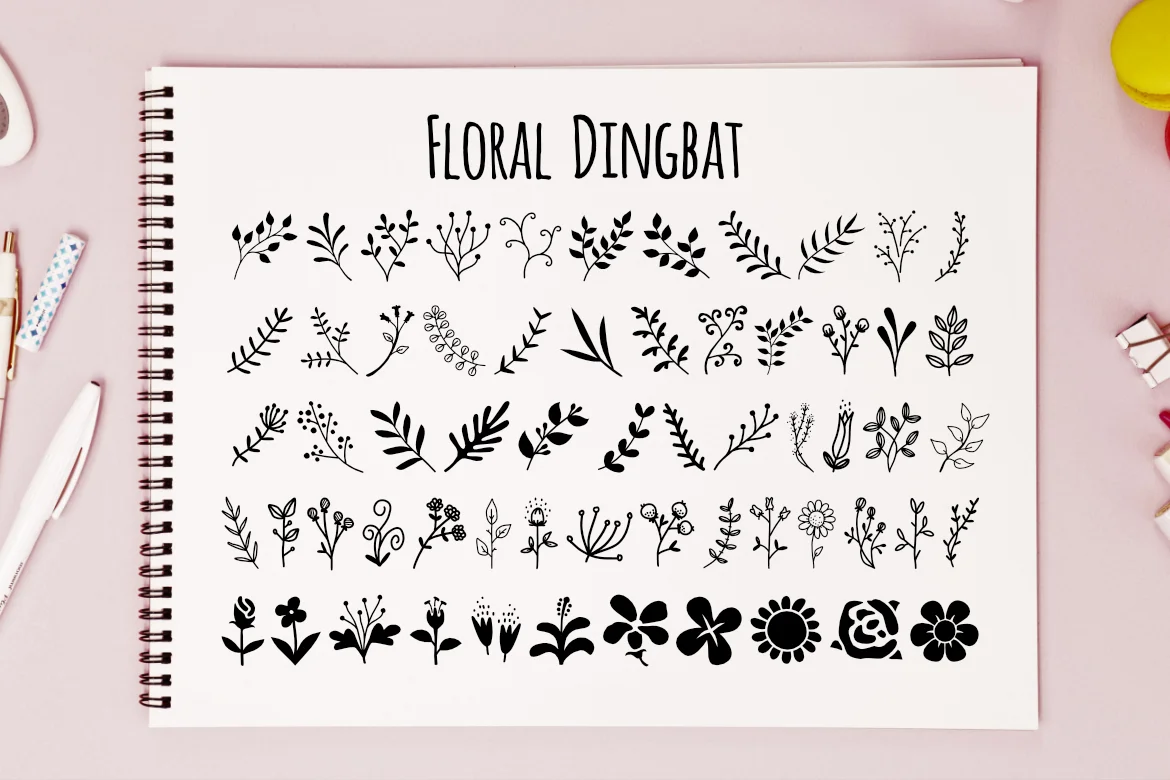
Floral Dingbat, created by LebahStudio, is a full collection of botanical ornaments that serve as decorative anchors throughout your typography and layout work. The shapes feel hand-drawn and gestural rather than overly formal, giving them genuine warmth when scattered across a spread or clustered around text. This is genuinely ornamental design that doesn't feel stiff or heavy-handed.
These ornaments really shine when you need decorative flourishes that complement rather than compete with your actual content. Wedding invitation suites benefit from having a few well-placed blooms in the margins, while scrapbooking pages get natural visual rhythm from layering these florals around photos and handwritten journaling. Greeting cards work beautifully with them framing text without feeling crowded, and bullet journal spreads come alive when you dot them around section headers or weave them through page breaks.
The set has enough variety to work across different design contexts, and since they're dingbats, they integrate easily with any typeface pairing you choose. If you're creating handmade goods for Etsy, designing boutique packaging, or producing personal stationery, these florals offer the kind of detail that reads as thoughtfully curated. Grab Floral Dingbat on Creative Fabrica to add genuinely handcrafted character to your next project.
Style & Use Cases
- Overall Style
- Iconographic
- Use Case
- Icons, Accents
- Ideal For
- ornaments, bullets, and decorative flourishes
- Pairs With
- any text font
How to Install Floral Dingbat Font
Step-by-step instructions for every platform
- 1Download the Floral Dingbat font file (.ttf or .otf).
- 2Locate the downloaded file in your Downloads folder.
- 3Right-click the font file.
- 4Select "Install" to install for the current user, or "Install for all users" to make it available system-wide.
- 5Floral Dingbat is now available in Word, Photoshop, Illustrator, and all other apps.
More by LebahStudio
View all →

Browse fonts by theme
Curated collections →Saw a font in a picture? Identify any font from an image with our free Font Finder.
More Dingbats Fonts
Browse all →







What pairs well with Floral Dingbat Font?
Floral Dingbat Font is a versatile dingbats font that works for both headings and body text. Pair it with a contrasting sans-serif or serif font to add visual interest and a clear distinction between titles and body copy.




Floral Dingbat Font
by LebahStudio
Reviewed by the FontBoxDL team · Updated July 2026