 Firefox
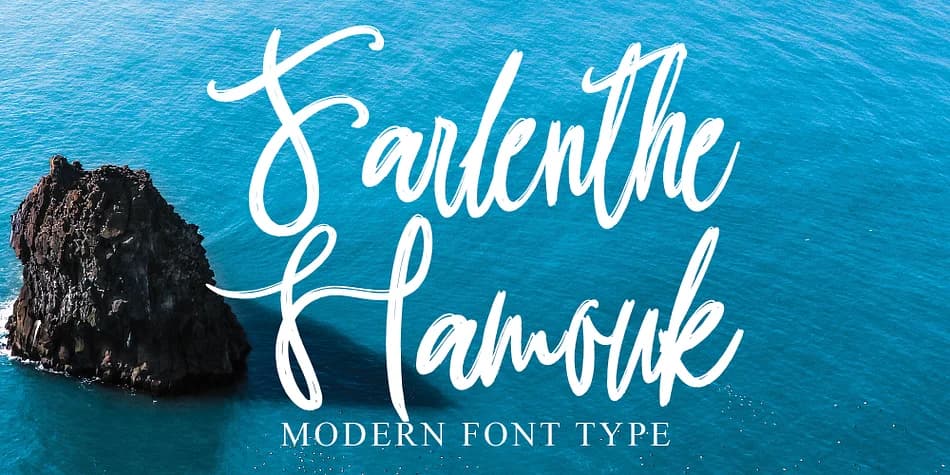 1 / 5
1 / 5About Farlenthe Hamouk Font
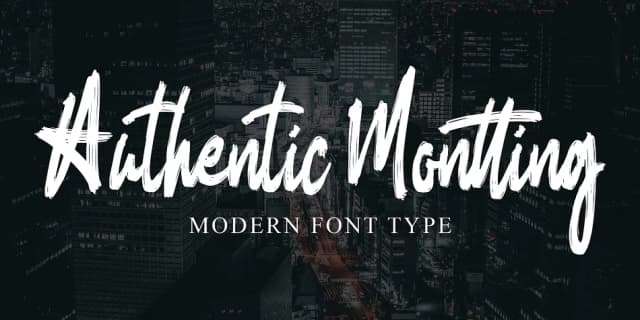
Farlenthe Hamouk, designed by Ayska, marries fluid brushwork with contemporary refinement. The script's letterforms flow with genuine hand-drawn character, where slight irregularities create authenticity rather than algorithmic flatness. This balance between warmth and sophistication gives the typeface uncommon range for both delicate and bold applications.
The font shines for wedding invitation suites, particularly ones where guests expect that personal, artisanal quality. Brand packaging that aims for botanical or lifestyle credibility benefits from its organic feel. Etsy product labels pop with genuine character when set in Farlenthe Hamouk, and custom greeting cards gain the handmade integrity that mass-produced fonts simply cannot match. Digital planners and mood boards work equally well, since the script maintains readability despite its flowing personality. For any project demanding a human touch, this typeface delivers.
What makes this script useful is how it reads as intentional craft rather than decoration. Designers and makers seeking work that feels genuinely handcrafted rather than template-pulled will find real value in its control. The letterforms suggest hand and pen without sacrificing professional polish. Best suited for creative professionals and small business owners who prioritize authenticity in every detail. Grab Farlenthe Hamouk on Creative Fabrica.
Style & Use Cases
- Overall Style
- Elegant, Flowing
- Use Case
- Invitations, Branding
- Ideal For
- wedding stationery, greeting cards, and signatures
- Pairs With
- a simple uppercase sans
How to Install Farlenthe Hamouk Font
Step-by-step instructions for every platform
- 1Download the Farlenthe Hamouk font file (.ttf or .otf).
- 2Locate the downloaded file in your Downloads folder.
- 3Right-click the font file.
- 4Select "Install" to install for the current user, or "Install for all users" to make it available system-wide.
- 5Farlenthe Hamouk is now available in Word, Photoshop, Illustrator, and all other apps.
Browse fonts by theme
Curated collections →Saw a font in a picture? Identify any font from an image with our free Font Finder.
More Script Handwritten Fonts
Browse all →







What pairs well with Farlenthe Hamouk Font?
Farlenthe Hamouk Font is a script font that shines as a display or heading face. Pair it with a clean sans-serif or serif font for body text — the contrast creates a clear hierarchy while the two styles stay balanced and easy to read.



Farlenthe Hamouk Font
by Ayska
Reviewed by the FontBoxDL team · Updated July 2026