
 1 / 7
1 / 7About Electronic Doodle Font
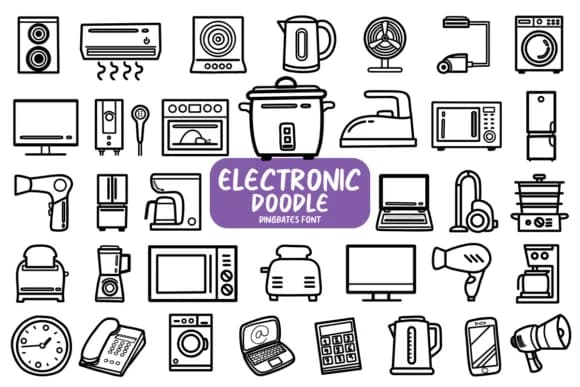
You're designing a header for your tech newsletter, and you need icons that feel sketchy and personal rather than sterile and corporate. Electronic Doodle by Chonada is a dingbat font packed entirely with hand-drawn illustrations of everyday electronics. From smartphones and laptops to cameras, earbuds, and cables, each character substitutes a recognizable device, letting you layer visual variety without hunting through multiple icon libraries or worrying about consistency.
This shines for podcast cover designs where you need recognizable symbols that feel intentional rather than generic, tech sticker sheets for Etsy sellers, or packaging for electronics startups and accessory brands. If you're building social media graphics for a gadget review channel, creating tech-themed invitation suites, or designing tech blog headers, the sketchy illustration style keeps everything casual and approachable while remaining clear at any size.
The character set includes phones, computers, tablets, TVs, and various tech peripherals, all rendered in that consistent hand-sketched style that reads strong at large sizes for headers and stays crisp when scaled down for social media icons. Whether you need a single standalone icon or want to combine several into a decorative line, Electronic Doodle delivers genuine character. Grab it on Creative Fabrica and build designs that look like they came from a designer's own sketchbook.
Style & Use Cases
- Overall Style
- Iconographic, Doodle
- Use Case
- Icons, Accents
- Ideal For
- ornaments, bullets, and decorative flourishes
- Pairs With
- any text font
How to Install Electronic Doodle Font
Step-by-step instructions for every platform
- 1Download the Electronic Doodle font file (.ttf or .otf).
- 2Locate the downloaded file in your Downloads folder.
- 3Right-click the font file.
- 4Select "Install" to install for the current user, or "Install for all users" to make it available system-wide.
- 5Electronic Doodle is now available in Word, Photoshop, Illustrator, and all other apps.




Browse fonts by theme
Curated collections →Saw a font in a picture? Identify any font from an image with our free Font Finder.
More Dingbats Fonts
Browse all →







What pairs well with Electronic Doodle Font?
Electronic Doodle Font is a versatile dingbats font that works for both headings and body text. Pair it with a contrasting sans-serif or serif font to add visual interest and a clear distinction between titles and body copy.



Electronic Doodle Font
by Chonada
Reviewed by the FontBoxDL team · Updated July 2026