 Firefox
 1 / 8
1 / 8Loading font…
About Doodle Icons Font
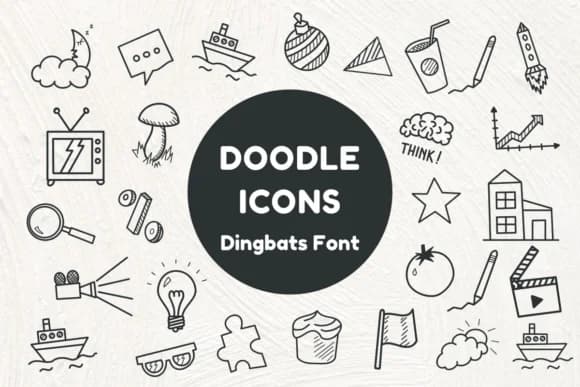
Doodle Icons by Nun Sukhwan is a playful dingbats collection packed with hand-drawn everyday objects that bring genuine visual charm and personality to your layouts. The set spans a wide range of detailed illustrations ranging from light bulbs and charts to rockets and snacks, each rendered with a naturally sketchy feel that avoids the sterile polish of generic icon sets. What makes this special is that it transforms what would normally be static images into living typographic elements you can color, scale, and repurpose across multiple projects.
The icons truly shine in Valentine greeting card designs, classroom worksheet decorations, Etsy printable product listings, and hand-lettered sticker sheet collections. Teachers love them for creating custom reward badges and motivation graphics that feel authentically personal rather than mass-produced. Scrapbooking and craft enthusiasts use the icons to add visual storytelling to their spreads without needing to hunt for separate image files or wrestling with complicated graphic programs. The monochrome rendering gives you full freedom to customize colors and match your brand identity or project theme across both digital applications and printed work.
Get Doodle Icons on Creative Fabrica to start bringing these charming doodles into your next design project, whether for print or digital use.
Style & Use Cases
- Overall Style
- Iconographic, Doodle Icons
- Use Case
- Icons, Accents
- Ideal For
- ornaments, bullets, and decorative flourishes
- Pairs With
- any text font
How to Install Doodle Icons Font
Step-by-step instructions for every platform
- 1Download the Doodle Icons font file (.ttf or .otf).
- 2Locate the downloaded file in your Downloads folder.
- 3Right-click the font file.
- 4Select "Install" to install for the current user, or "Install for all users" to make it available system-wide.
- 5Doodle Icons is now available in Word, Photoshop, Illustrator, and all other apps.
More by Nun Sukhwan
View all →



Browse fonts by theme
Curated collections →Saw a font in a picture? Identify any font from an image with our free Font Finder.
More Dingbats Fonts
Browse all →







What pairs well with Doodle Icons Font?
Doodle Icons Font is a versatile dingbats font that works for both headings and body text. Pair it with a contrasting sans-serif or serif font to add visual interest and a clear distinction between titles and body copy.



Doodle Icons Font
by Nun Sukhwan
Reviewed by the FontBoxDL team · Updated October 2026